Play 38Outbound
Public Records Signals
Public Records Signals is a five-step outbound play for email, calls and your CRM, from “Pick the records tied to your buying decision” to “Route to the owner with the record as evidence”. It uses Browserbase, Clay, HubSpot, Salesforce, Claude and seven more tools.

Kenny Damian, Co-founder & Head of GTM
- Motion
- Outbound
- Channel
- Email, Call, CRM
- Steps
- 5
- Tools
- 12
The workflow
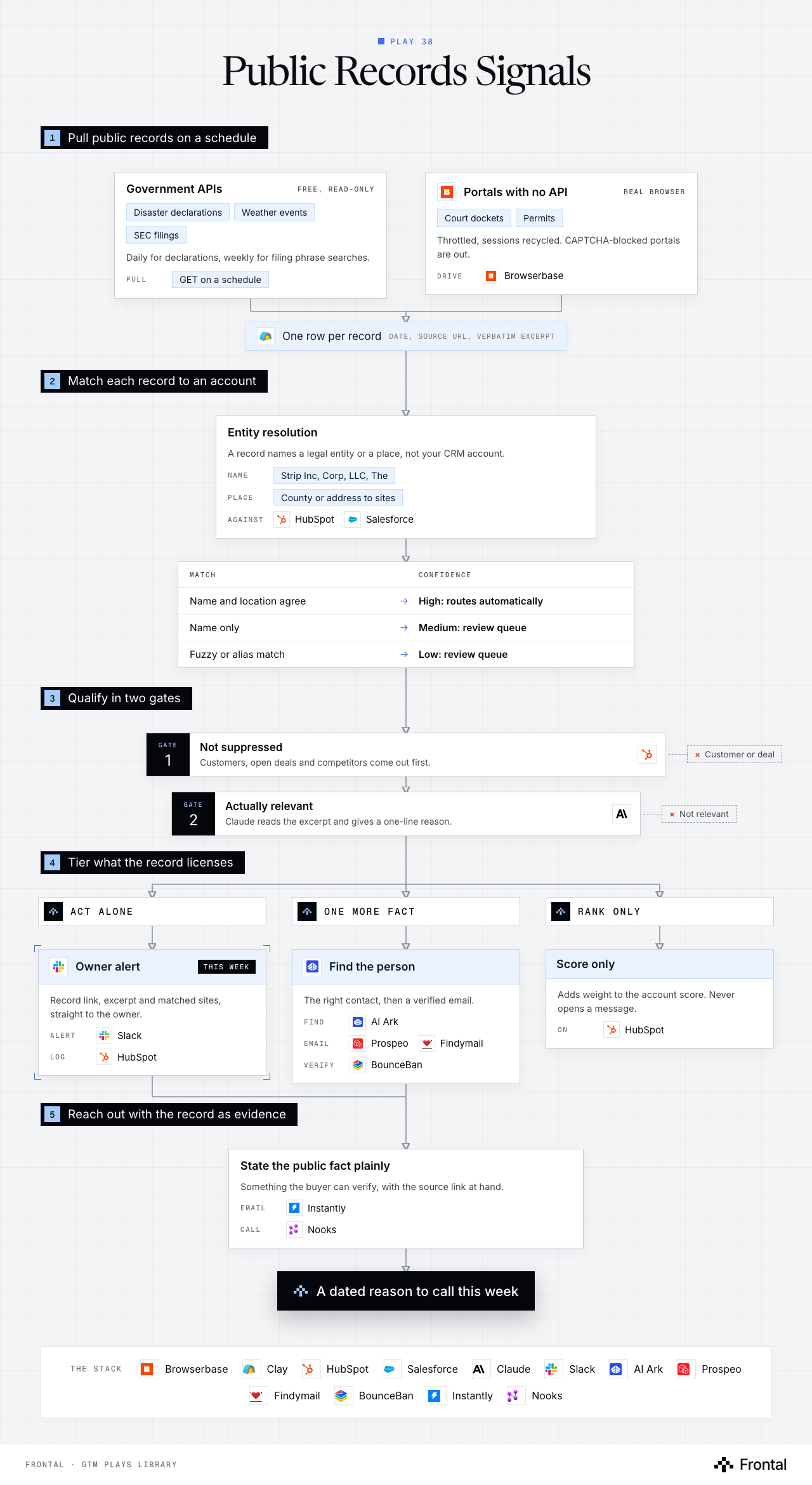
The diagram as text
1Pull public records on a schedule
- Government APIs (free, read-only): Disaster declarations, Weather events and SEC filings. Daily for declarations, weekly for filing phrase searches. Pull: GET on a schedule.
- Portals with no API (real browser): Court dockets and Permits. Throttled, sessions recycled. CAPTCHA-blocked portals are out. Drive: Browserbase.
- One row per record: Date, source URL, verbatim excerpt. Tool: Clay.
2Match each record to an account
- Entity resolution: A record names a legal entity or a place, not your CRM account. Name: Strip Inc, Corp, LLC, The. Place: County or address to sites. Against: HubSpot and Salesforce.
- Match → Confidence
- Name and location agree → High: routes automatically
- Name only → Medium: review queue
- Fuzzy or alias match → Low: review queue
3Qualify in two gates
- Gate 1: Not suppressed: Customers, open deals and competitors come out first. Dropped: Customer or deal. Tool: HubSpot.
- Gate 2: Actually relevant: Claude reads the excerpt and gives a one-line reason. Dropped: Not relevant. Tool: Claude.
4Tier what the record licenses
- Act alone
- One more fact
- Rank only
- Owner alert (this week): Record link, excerpt and matched sites, straight to the owner. Alert: Slack. Log: HubSpot.
- Find the person: The right contact, then a verified email. Find: AI Ark. Email: Prospeo and Findymail. Verify: BounceBan.
- Score only: Adds weight to the account score. Never opens a message. On: HubSpot.
5Reach out with the record as evidence
- State the public fact plainly: Something the buyer can verify, with the source link at hand. Email: Instantly. Call: Nooks.
- Outcome: A dated reason to call this week
The stack: Browserbase, Clay, HubSpot, Salesforce, Claude, Slack, AI Ark, Prospeo, Findymail, BounceBan, Instantly, Nooks.
The play in five steps
Step 1: Pick the records tied to your buying decision
Public records hold dated, defensible events that no data vendor packages, so few competitors use them.
- Court filings and dockets from county portals.
- Building, renovation and business permits.
- Government disaster declarations and severe weather events, by county.
- SEC filings, searched for phrases that signal the problem you solve.
- Pick the one or two record types that create an unplanned decision for your buyer. Deterministic sources beat asking a model to guess.
Step 2: Pull on a schedule
Each source gets its own cadence and method, and every row keeps its evidence.
- Free government APIs are read with plain GET requests: daily for declarations and alerts, weekly for filings.
- Portals without an API are driven in a real browser through Browserbase. Some portals fail to load in a local headless browser.
- Throttle requests and recycle sessions. Portals behind a CAPTCHA are out of scope.
- Every row keeps the record date, the source URL and a verbatim excerpt, landed in Clay.
Step 3: Match each record to an account
A record names a legal entity or a place, not your CRM account. Resolution is the hard part.
- Normalise names: lowercase, strip Inc, Corp, LLC, Holdings, The, and punctuation.
- Match on legal name, known aliases and domain against HubSpot or Salesforce accounts.
- For place-based records, join the county or address to the account's known site locations.
- Give every match a confidence level.
- High: name and location agree. Routes automatically.
- Medium or low: goes to a review queue before anyone acts.
Step 4: Qualify the record
A real record on the wrong account, or on a customer, is worse than no signal.
- Suppression first: customers, open deals and competitors come out.
- Claude reads the excerpt and confirms it actually touches the problem, with a one-line reason.
- Tier what the record licenses you to do.
- Act alone: the event itself is the reason to call this week.
- Needs one more fact: the right person or the affected sites first.
- Rank only: adds to the account score, never opens a message.
Step 5: Route to the owner with the record as evidence
The rep gets the record, not a summary of it, so the outreach can cite something they can verify.
- Write the signal to the account in the CRM with the date, excerpt and source URL.
- Find the right contact with AI Ark, with a verified email from Prospeo or Findymail, checked by BounceBan.
- Alert the account owner in Slack with the record link and the matched sites.
- Outreach states the public fact plainly, by email through Instantly or a call through Nooks.
- A record type with no owner and no response time does not go live.
Tools used
The twelve tools this play names. Each links to the other plays that use it.
Related plays
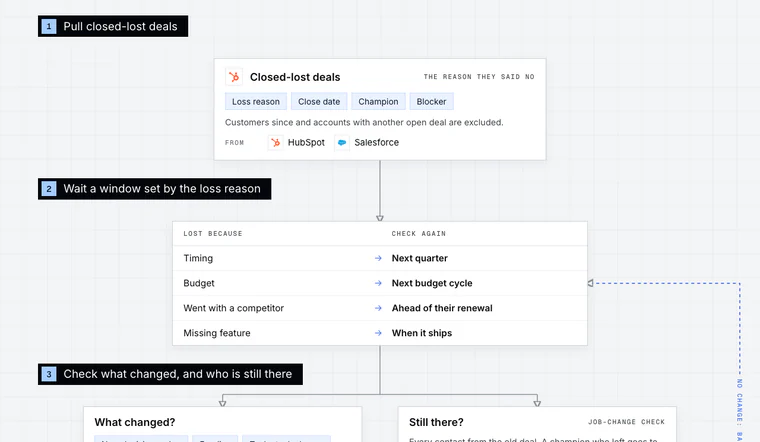
Closed-Lost Revival
7 steps · Email, LinkedIn, Call, CRM
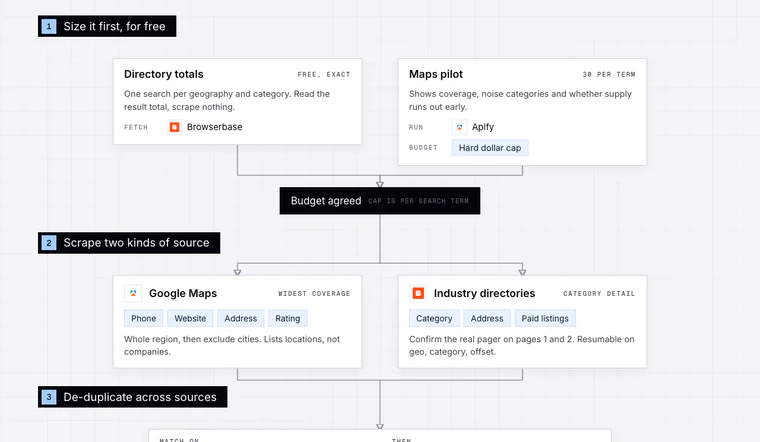
Local Business TAM from Directories
6 steps · Email, Call
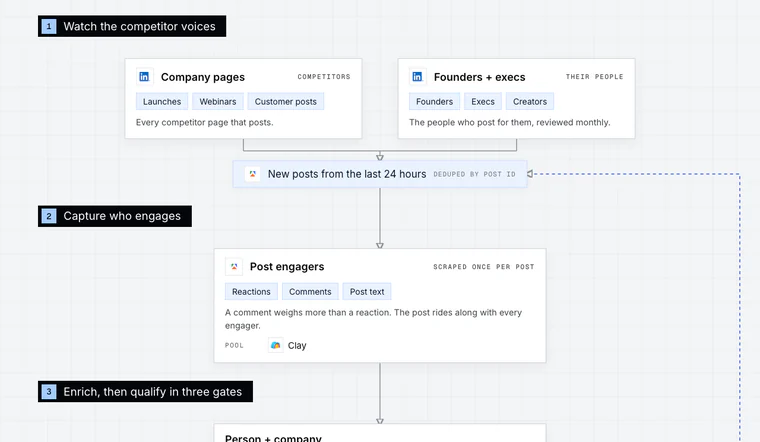
Competitor Post Engagers
6 steps · LinkedIn, Email, CRM

Have us run this play
Tell us what you're trying to hit this quarter, and we'll suggest where to start.