Free guide
How do I run outbound, ads, content and data from one account list?
Build one ranked account list in HubSpot first, then point outbound, ads, content and search, and RevOps at it, so every channel works on the same accounts.

Alex Vacca, Founder, Frontal
Published
What’s inside
- The prompt that ranks your accounts by fit and signal into one list, with a next step and an owner where your split decides
- A signal opener prompt, and the sender check every domain passes before an email goes out
- The ads plan: the list on LinkedIn, its site visitors retargeted on Meta and Google, with each platform’s audience rules
- The AI answer check: your buyers’ questions in ChatGPT and Perplexity, logged every month
- The weekly prompt that matches each signal to its owner or to the ranking, and reports pipeline per account
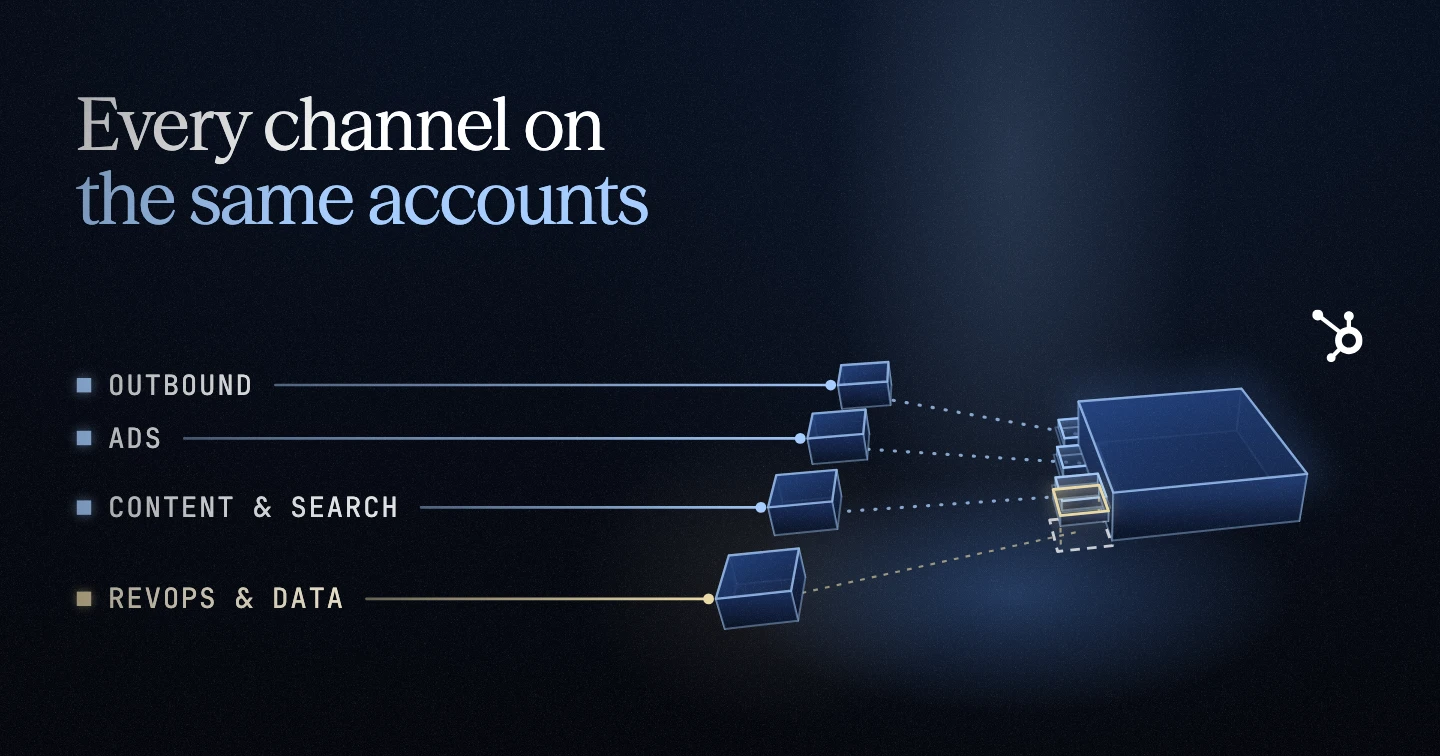
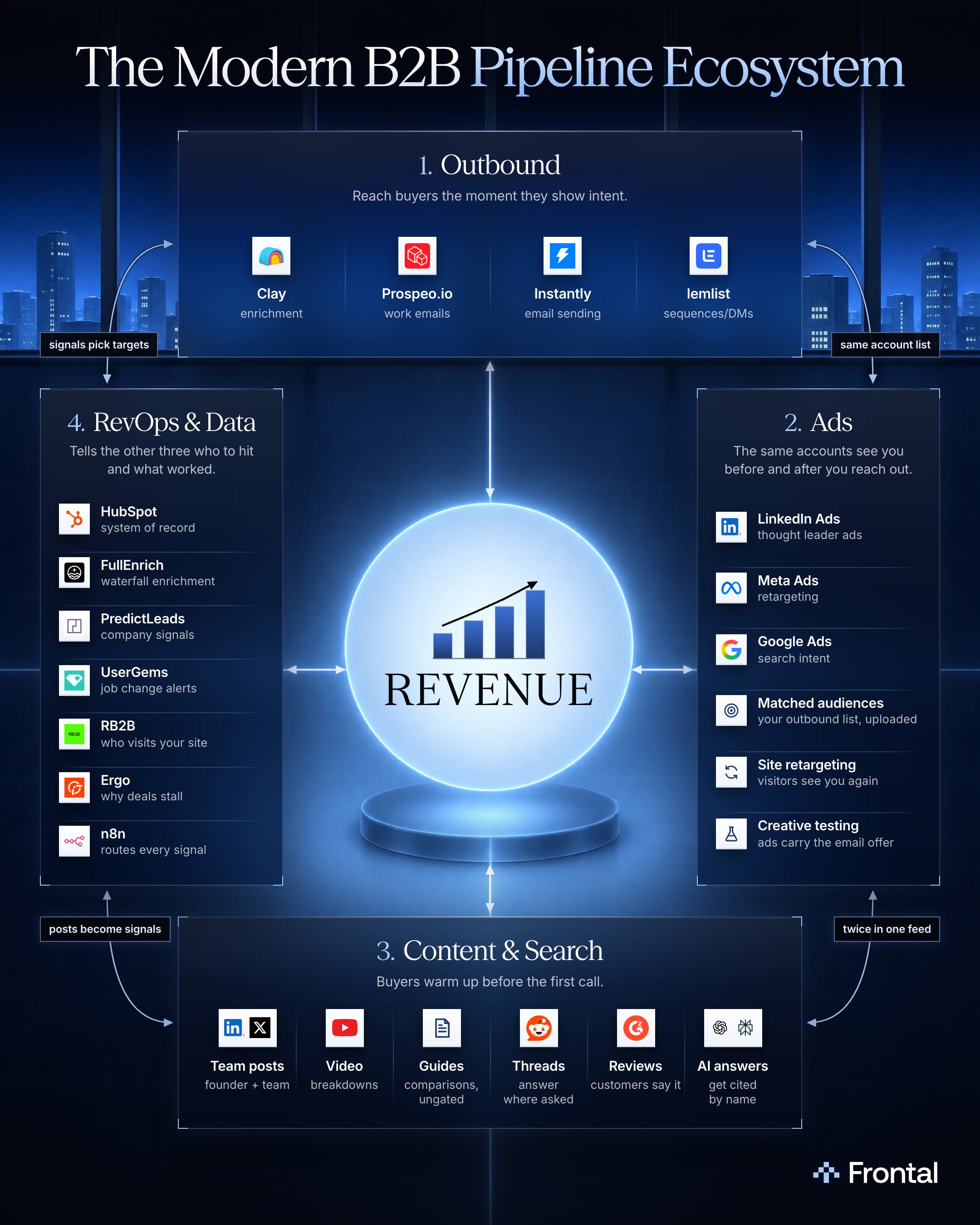
Everything we do at Frontal starts from one list of accounts inside the CRM. Build yours before any system runs: rank the accounts that fit by the signals they show, name an owner where your split decides, then point all four systems at it. Outbound writes when an account shows a signal.
In the B2B Benchmark Report from Factors.ai, which sells an ABM (account-based marketing) and attribution platform, the conversion of SDR (sales development rep) meetings to deals increased 43% when accounts had seen LinkedIn ads. Frontal has worked with 310+ companies, and our campaigns built on buying signals reply at 5 to 18%, while a list built only from filters like job title and company size gets only 1 to 3%. One shared list is how we put ads and signal-based outbound on the same accounts.
The map’s four systems run here as Step 2 to Step 5, after the list. None of this needs a bigger budget: aim what you already pay for at one list, so the attention you paid for in one place is not bought again in the next: a buyer can see the ad on Monday, read the post on Wednesday and get the email on Thursday, and the ad carries the same offer as the email, so the second touch is recognisable.
Step 1: Same account list
Input: Your ICP (ideal customer profile), a Clay table, and HubSpot with your customers and open deals in it.
Action: Pull the companies that fit with Clay’s Find Companies and each buying group with Find People, rank them with the prompt below, then send the ranked rows to HubSpot.
Output: One ranked account list, ready for HubSpot: each account’s tier, the signal and date that ranked it, one owner (or “to assign”) and one next step, with customers and open deals taken off, each listed with its owner.
Caution: A static segment does not update automatically, so keep the list in an active segment, which adds and removes accounts as they meet the criteria or stop meeting them.
In HubSpot, tick the Target account checkbox on every listed company and set its Ideal customer profile tier: Tier 1 should be a great fit, and Tier 3 might be acceptable, but low priority.
Here is the prompt that ranks the accounts:
Keep reading, free
Pop your email in and we’ll send a 6-digit code. The rest of the guide opens right here.
More free guides
Free guide
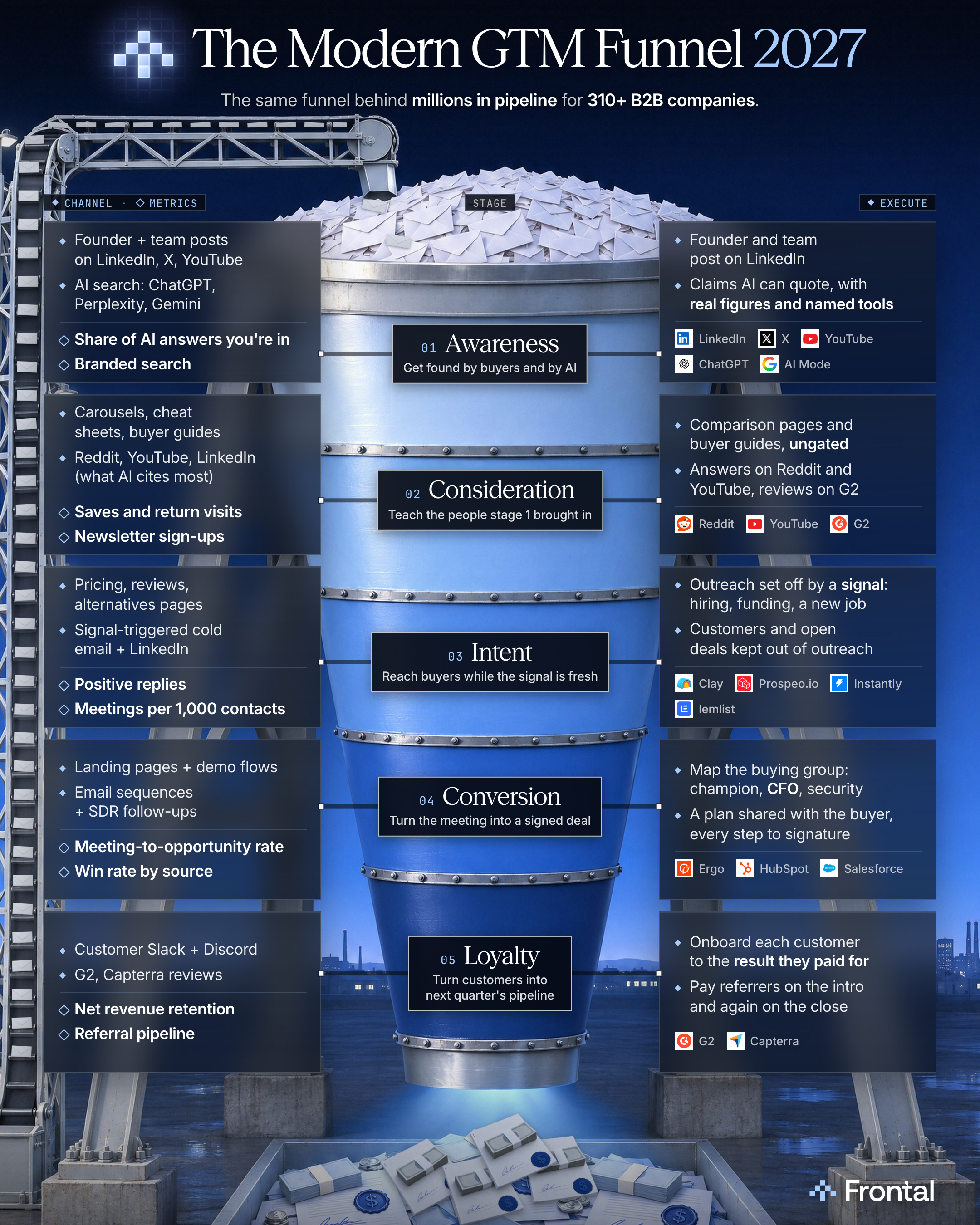
The Modern GTM Funnel 2027
The same funnel behind millions in pipeline for 310+ B2B companies.
Free guide
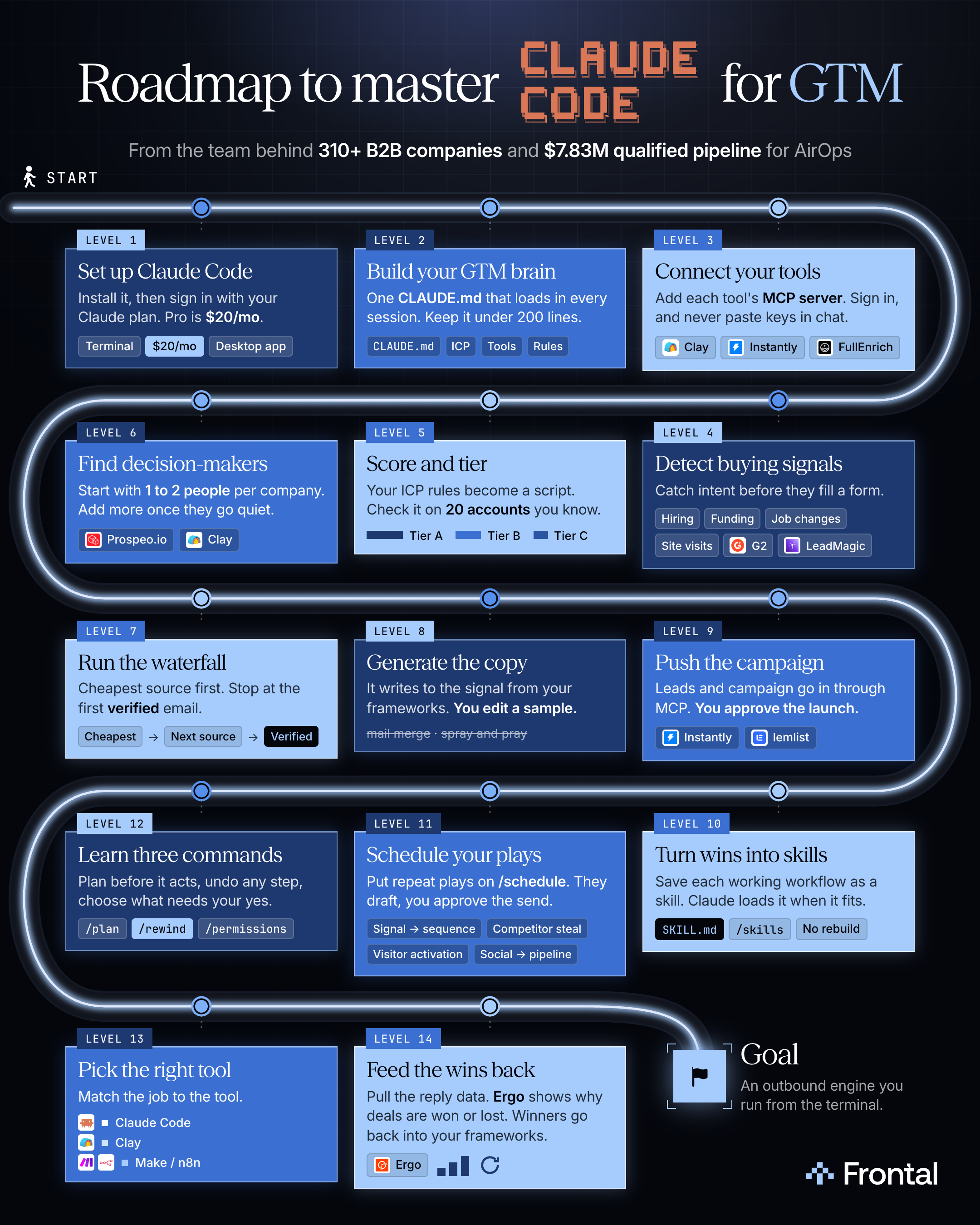
How do you run cold outbound from Claude Code, from signal to live campaign?
Install Claude Code, write one CLAUDE.md, connect each tool by MCP, and run signal to sent with two checks: you edit a sample and approve the launch.
Free guide
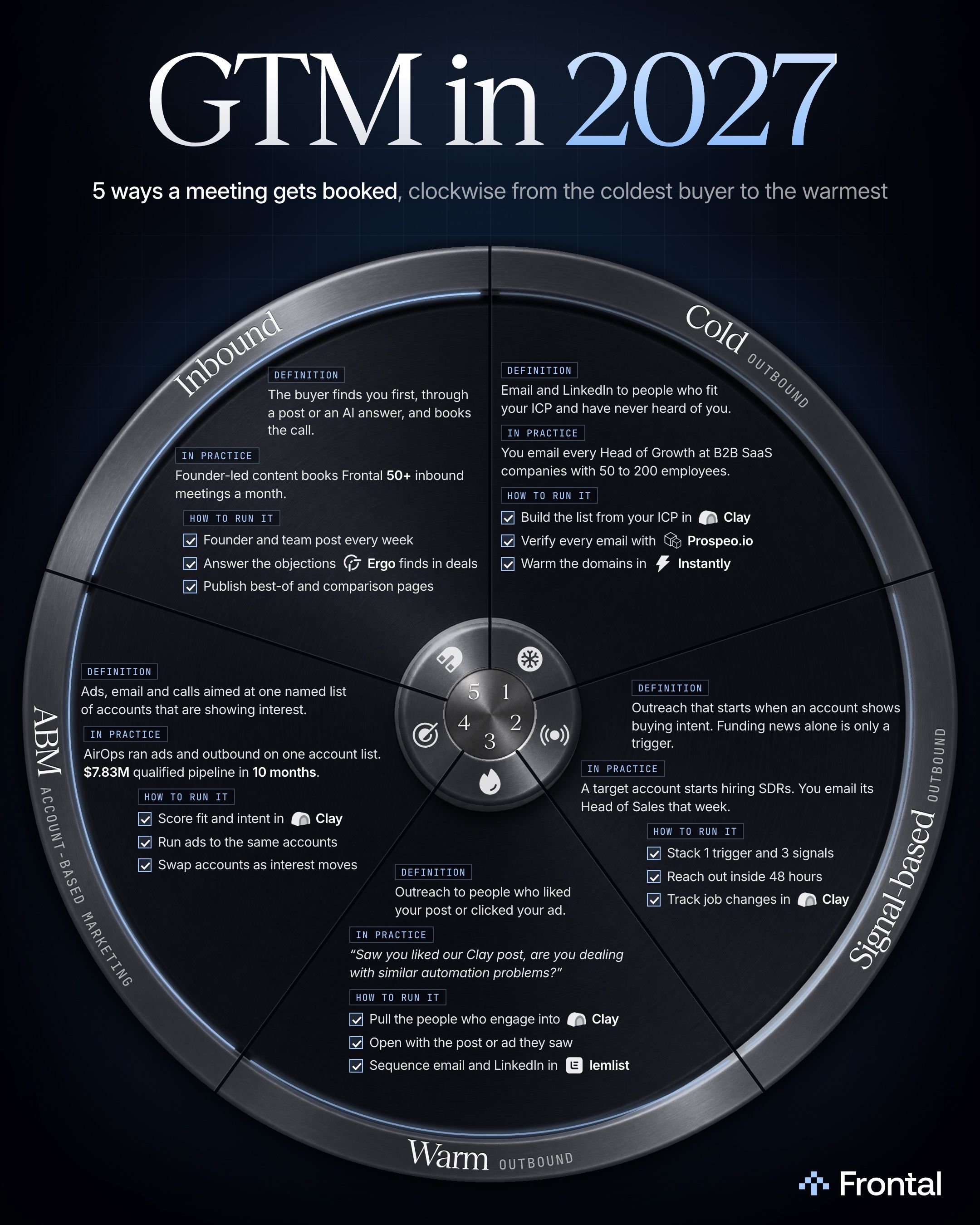
What are the 5 ways to book B2B meetings in 2027?
Cold, signal-based and warm outbound, ABM and inbound differ in what the buyer, or their company, has done before you write. I’d run all 5 on 1 account list.
Free guide
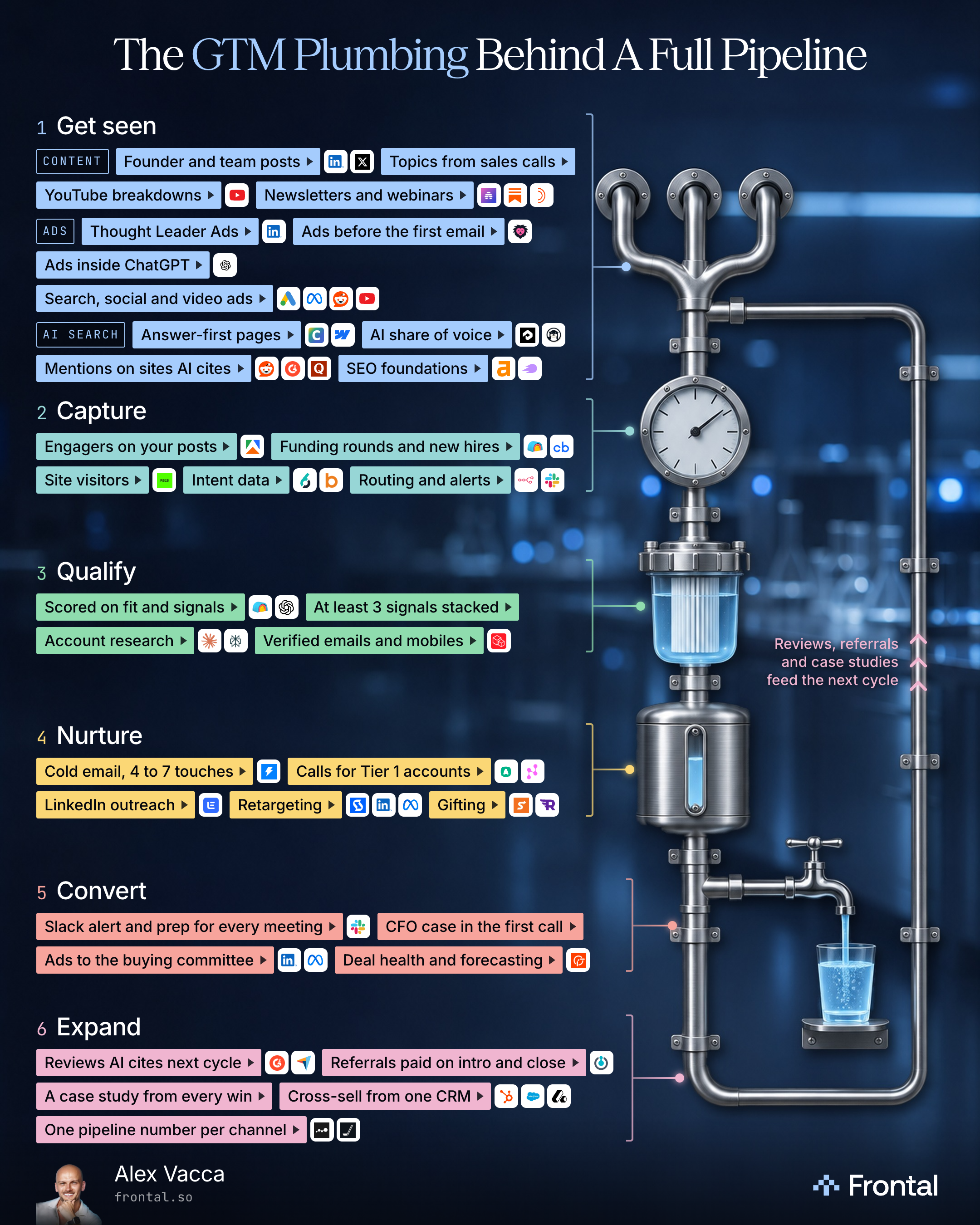
What does a B2B pipeline need besides cold email?
Every channel on the same accounts: get seen, capture, qualify, nurture, convert and expand, with the tools for each level.
Free guide
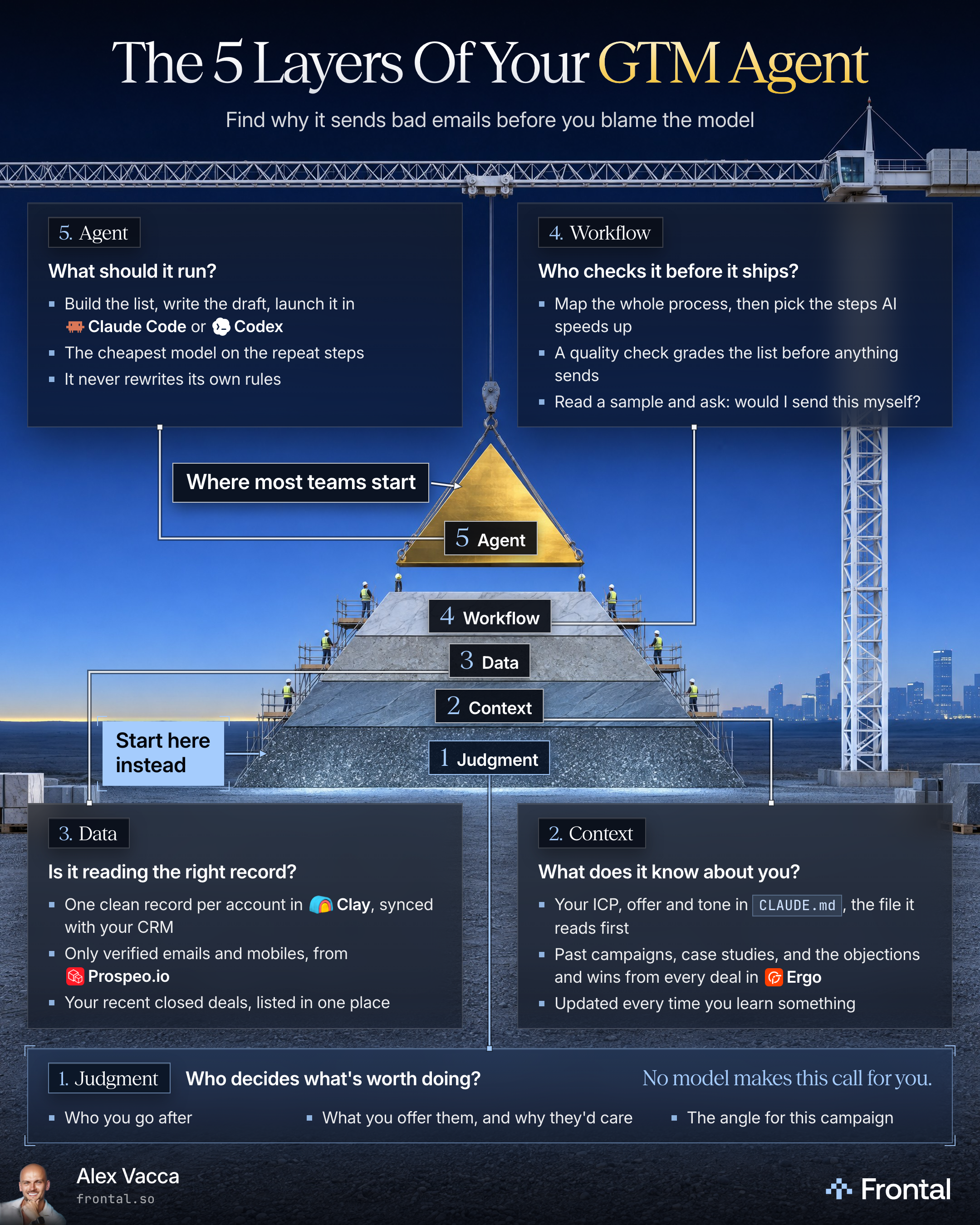
Why is nobody replying to my AI agent’s emails?
Look under the agent first: who decides, what it knows, the records it reads and who checks it. Build the agent last, on top.

Free guide
Should you run outbound on signals only, or on your whole ICP?
No. Keep your whole ICP on the list. Fit decides who is on it, signals decide when an account gets the one to one push, and the tier decides the effort.