Free guide
What does a B2B pipeline need besides cold email?
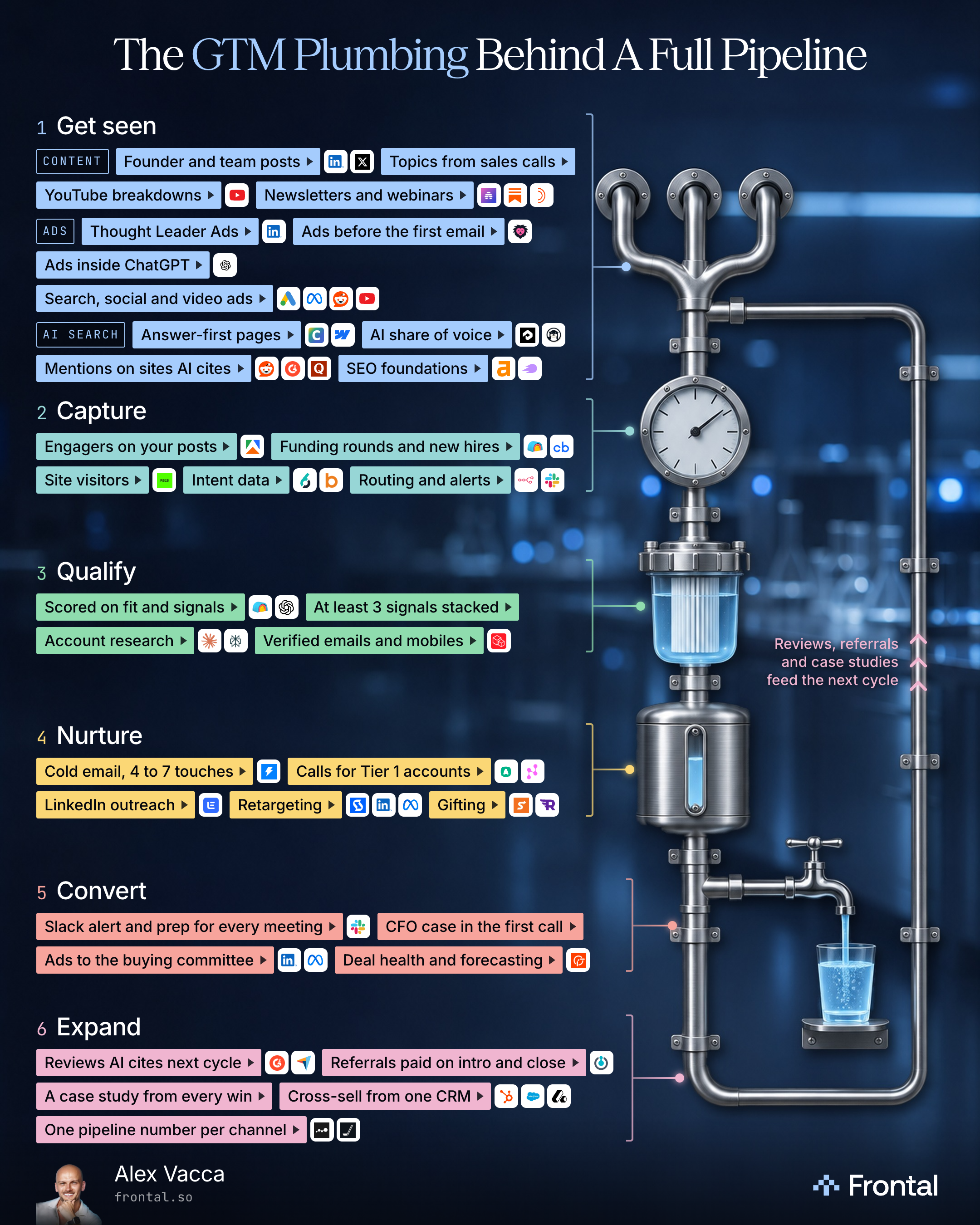
Every channel on the same accounts: get seen, capture, qualify, nurture, convert and expand, with the tools for each level.

Alex Vacca, Founder, Frontal
Published
What’s inside
- The sales call prompt that turns one call into post topics, answer-first pages and the questions to ask AI search
- The signal routing sheet that logs every signal with the date it happened
- The scoring prompt for Clay and OpenAI that scores every account on fit and signals
- The nurture plan for every tiered account, with the ads that change as it warms up
- The meeting prep prompt, with the security review and the CFO case for the first call
- The win prompt that mines every win for proof and content: a case study, reviews and referrals
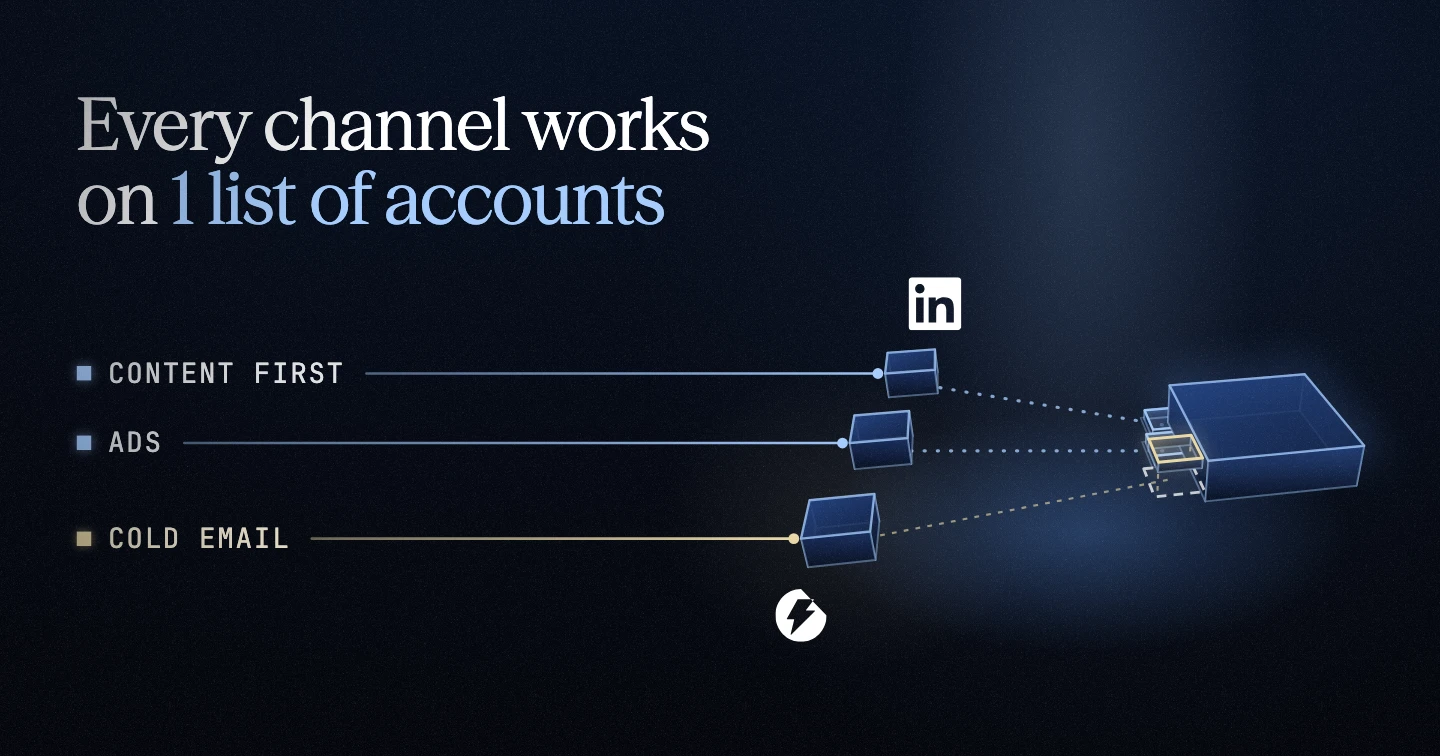
Besides cold email, your pipeline needs every other channel working the same accounts, from the first post they see to the review they leave after they buy. Everything we do at Frontal starts from 1 list of accounts inside your CRM. You pick the accounts first, and every channel works on them together.
I’ve watched the same list and copy reply at 1% for one company and 8% for another. The 8% one had content and ads in front of the account first. So, if the right accounts don’t know you before they’re ready to buy, you’re pretty much fighting for second place.
Start with the level nobody owns at your company, or the one where your accounts stop moving on to the next. You don’t need every tool on the visual to start. One tool per job is enough to run a basic version of a level.
Before we automate any campaign, we write it for 25 people by hand, send it and read every reply. Only then does it go to 5,000.
Every template below is one we wrote for this guide from my published rules, and each one was run on a made-up company before it went in. Fill the brackets with your own facts, and where a template adds a rule of its own, like when a signal goes cold, set it for your company.
Step 1: Get seen
Input: Your sales calls (transcripts, or the rep’s notes with the buyer’s own words), what you can say about your product and price, and your recent posts with their reactions and saves.
Action: Run the sales call prompt below on one sales call at a time. Turn the pains and objections into founder and team posts, the buyer’s questions into answer-first pages and ad ideas, and run the posts that already did well as Thought Leader Ads on the same accounts as your outbound.
Output: For the call: the buyer’s own words sorted into pains, objections, what they use today and their questions; post topics with a first line in the buyer’s words, answer-first pages, ad ideas for the accounts on your outbound list, the buyer questions to ask Google’s AI and ChatGPT every month, and the posts to run as Thought Leader Ads.
Caution: Judge a post on saves. Likes and comments are great, but saves are what tell you a post was useful to your audience.
Our sales calls are the best source, because buyers say what they’re stuck on in their own words. Each call is sorted into notes on pains, objections and what buyers use today. With inbound you don’t get to pick who books a call. So write your first line for the buyer you want.
For our clients, every 2 weeks, we’ll run a 30-minute interview with your founder and turn it into posts. The ones that do well become Thought Leader Ads. Our ad ideas usually come from questions buyers already ask on sales calls. We launch around five ads per idea and turn the losing ones off fast.
You upload the same account list you use for outbound as a company list in LinkedIn’s Matched Audiences, then target the right job titles inside those companies. Running ads on an account list only makes sense when your deals are big enough to justify the effort. For a cheap self-serve product, it’s probably not worth it.
For AI search, ask the same buyer questions in Google’s AI and ChatGPT every month, 3 runs each, because the answer changes run to run. Here is the sales call prompt, our template:
The sales call prompt
Keep reading, free
Pop your email in and we’ll send a 6-digit code. The rest of the guide opens right here.
More free guides
Free guide
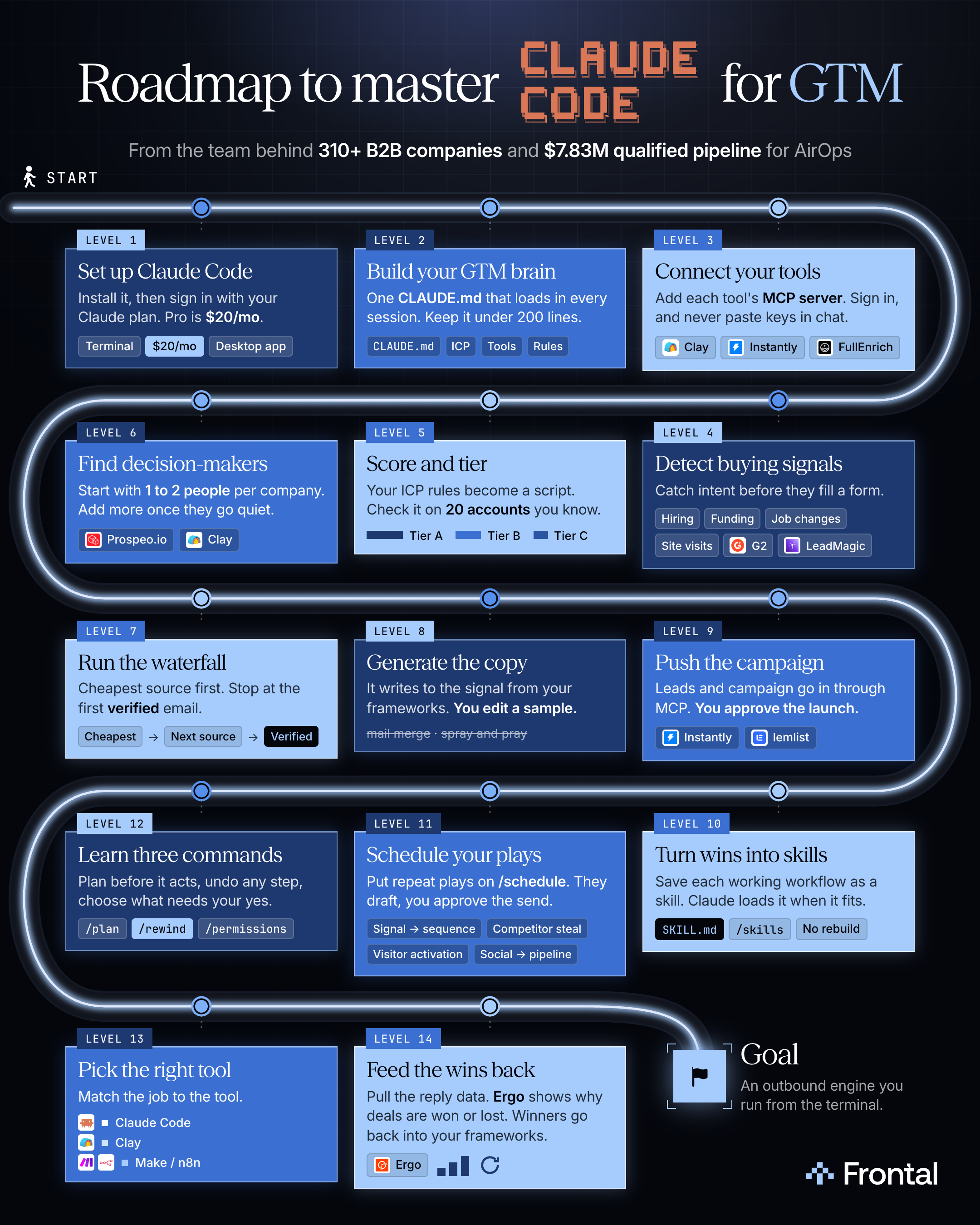
How do you run cold outbound from Claude Code, from signal to live campaign?
Install Claude Code, write one CLAUDE.md, connect each tool by MCP, and run signal to sent with two checks: you edit a sample and approve the launch.
Free guide
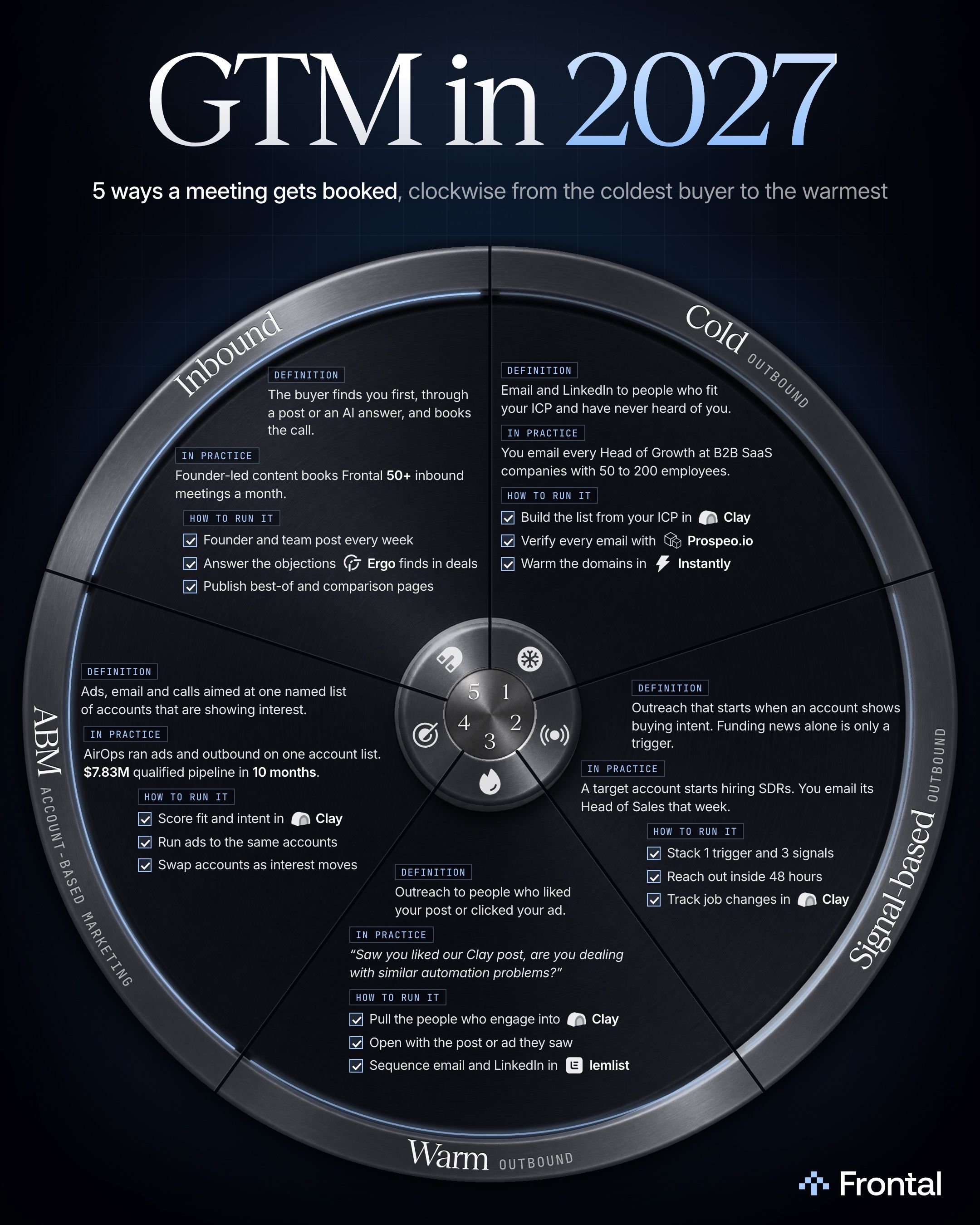
What are the 5 ways to book B2B meetings in 2027?
Cold, signal-based and warm outbound, ABM and inbound differ in what the buyer, or their company, has done before you write. I’d run all 5 on 1 account list.
Free guide
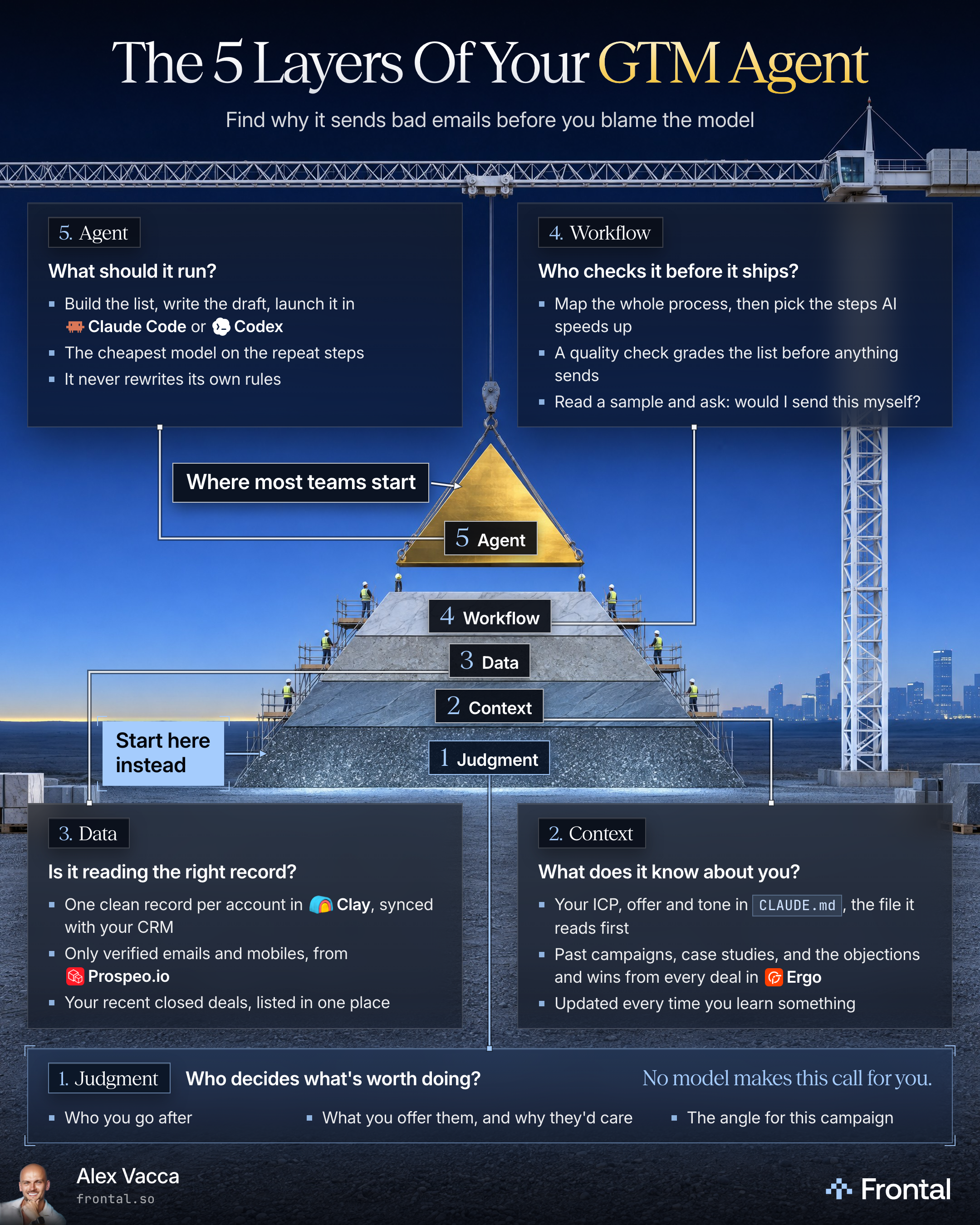
Why is nobody replying to my AI agent’s emails?
Look under the agent first: who decides, what it knows, the records it reads and who checks it. Build the agent last, on top.
Free guide
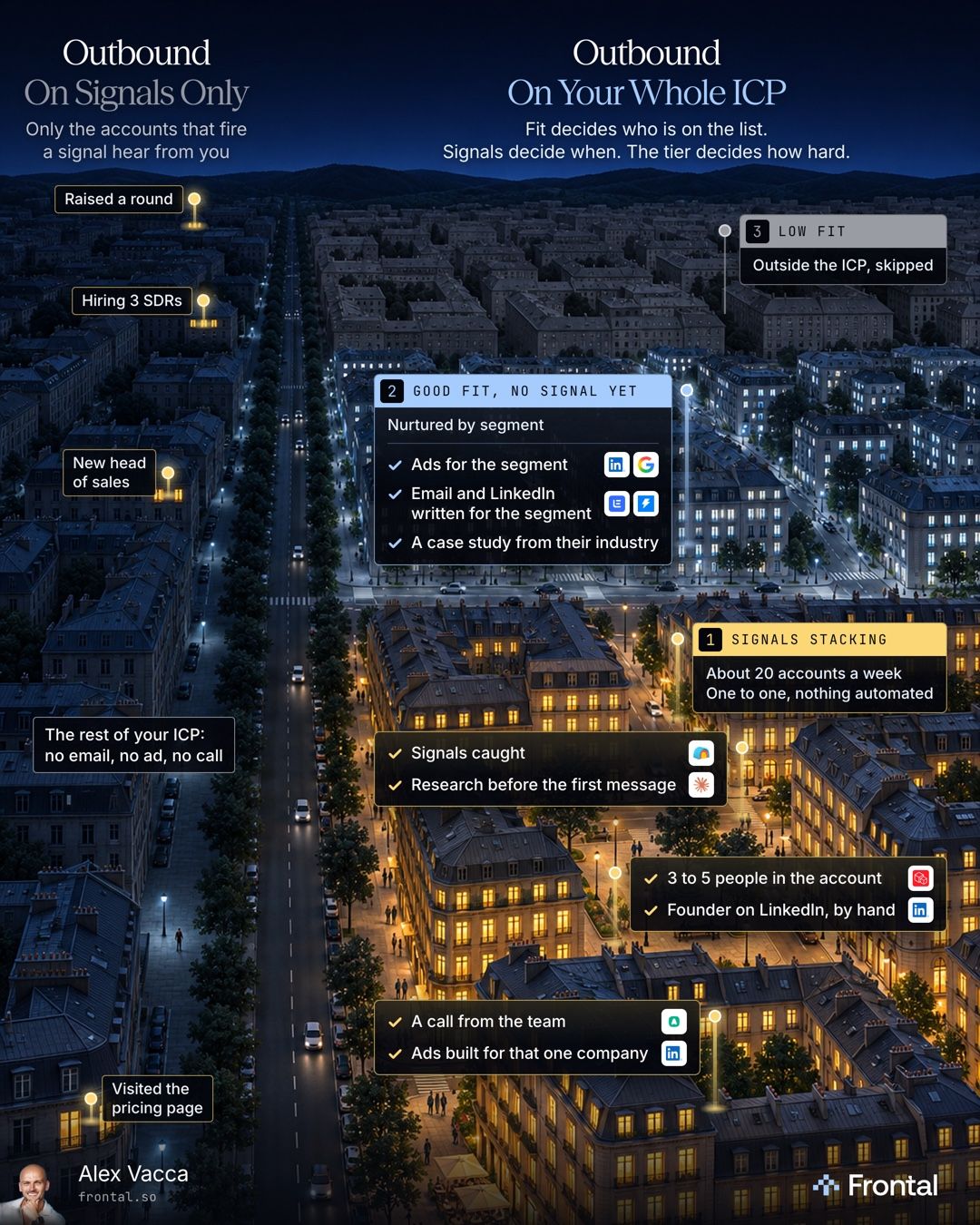
Should you run outbound on signals only, or on your whole ICP?
No. Keep your whole ICP on the list. Fit decides who is on it, signals decide when an account gets the one to one push, and the tier decides the effort.