Free guide
How do you run cold outbound from Claude Code, from signal to live campaign?
Install Claude Code, write one CLAUDE.md, connect each tool by MCP, and run signal to sent with two checks: you edit a sample and approve the launch.

Alex Vacca, Founder, Frontal
Published
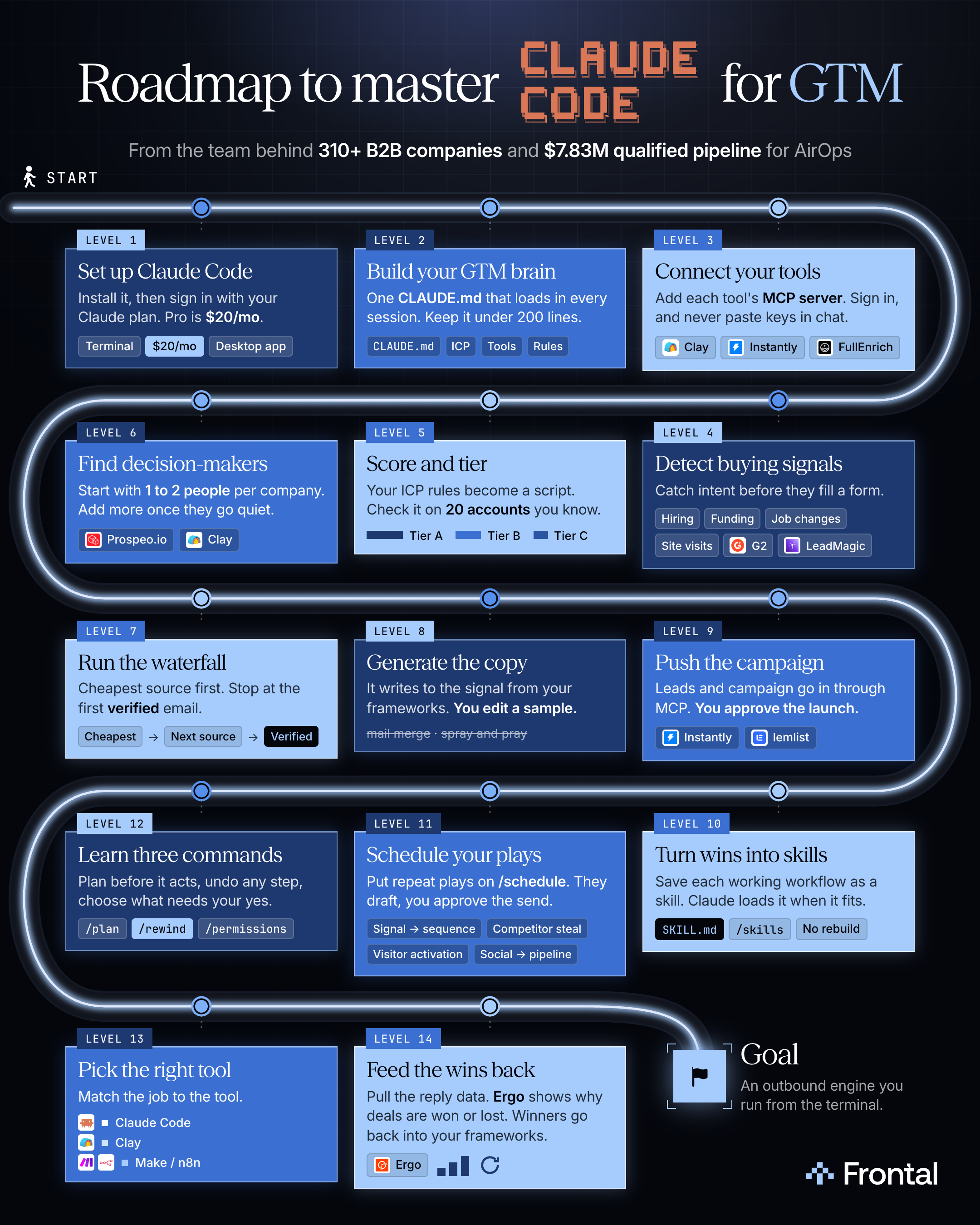
What’s inside
- The install lines, and the MCP server lines for Clay, FullEnrich, Instantly, LeadMagic, Prospeo.io and lemlist
- A CLAUDE.md template with your ICP, scoring rules and best-performing copy
- A signals table, and the prompts that score accounts, find decision-makers, run the waterfall and write the copy
- The push prompt that loads the campaign with nothing launched, and the permission rules that hold it for your yes
- A skill template, a scheduled play that only drafts, and when Clay or n8n fits better
- The weekly prompt that sorts replies, calls keep, change or kill per campaign, and drafts copy changes
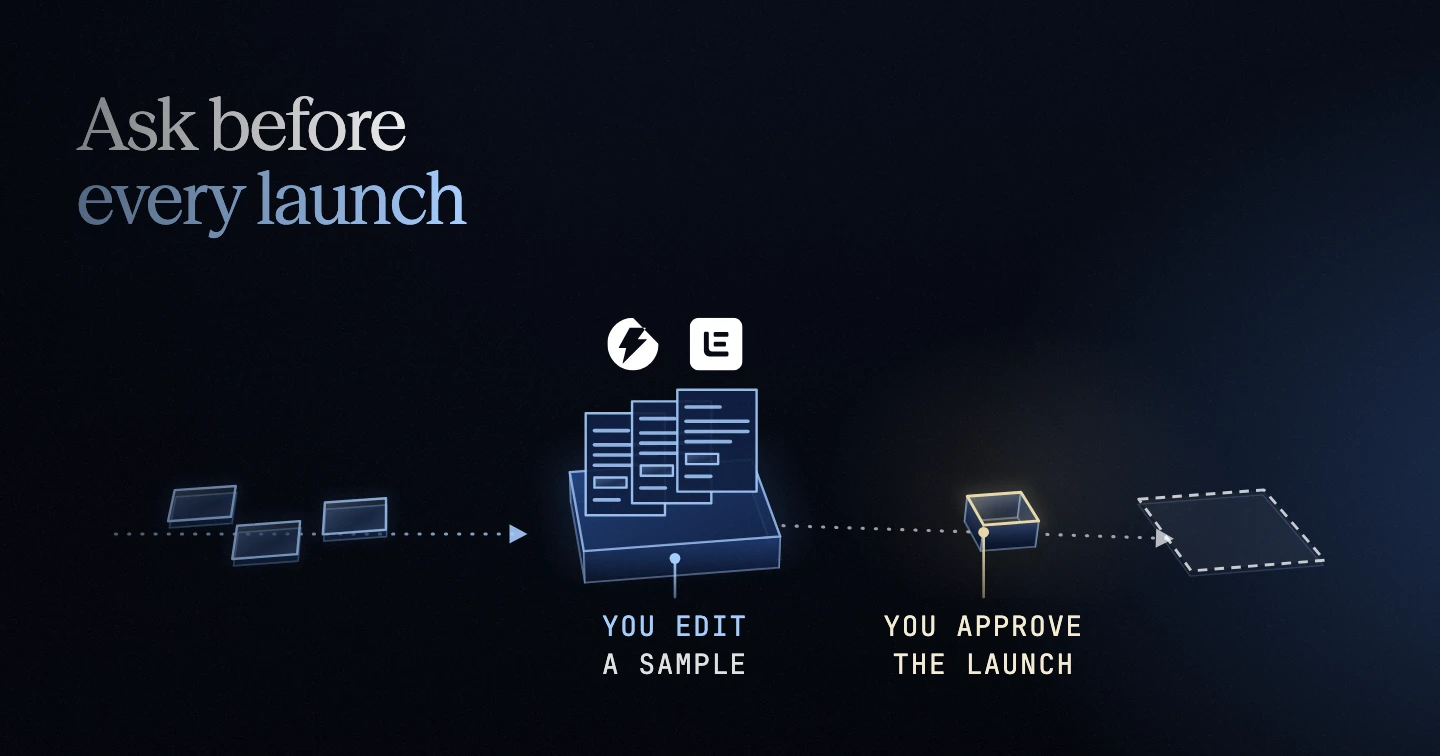
We run our whole agency Frontal AI from Claude Code: GTM, ads, and content. Before any campaign loads, write a permission rule that makes the launch stop and ask for your yes.
Claude reads CLAUDE.md, the file it loads at the start of every session, as context, not enforced configuration, so a line there that says never launch can still be missed. /rewind can take the conversation and your code back to an earlier point, but actions that affect remote systems, like a launch in Instantly or lemlist, can’t be checkpointed. And a lemlist campaign created through the API counts as running even while its status reads draft.
Our permission rules ask before every action of the Instantly and lemlist servers, and they deny reading .env. A repeat workflow you put on /schedule runs on its own, and it stops at that ask rule too. The prompt that starts a scheduled run can’t act as approval, so the run only drafts, and you approve the send.
Step 1: Set up Claude Code
Input: A Mac, Linux, or Windows with WSL (Windows Subsystem for Linux), and a paid Claude plan.
Action: Run the install line below. Open your terminal in the folder where your GTM work will live, type claude, and finish the sign-in in your browser when it asks.
Output: Claude Code installed, running in your GTM folder and signed in with your Claude plan.
Caution: If an Anthropic API key is set in your terminal, Claude Code uses that key once you approve it, not your plan. If you installed with Homebrew or WinGet, Claude Code won’t update itself, so use the install line below.
Here are the lines to run:
Keep reading, free
Pop your email in and we’ll send a 6-digit code. The rest of the guide opens right here.
More free guides
Free guide
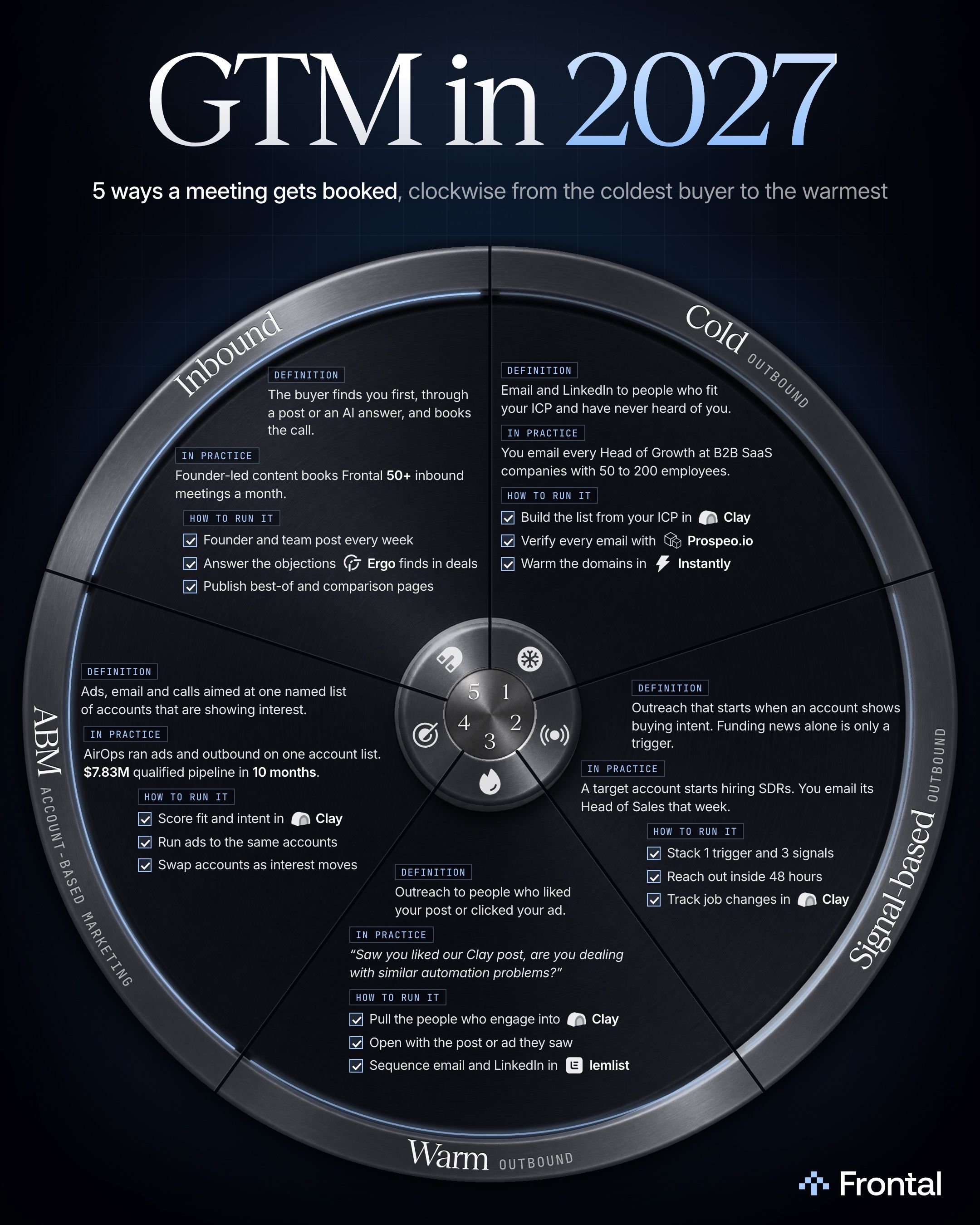
What are the 5 ways to book B2B meetings in 2027?
Cold, signal-based and warm outbound, ABM and inbound differ in what the buyer, or their company, has done before you write. I’d run all 5 on 1 account list.
Free guide
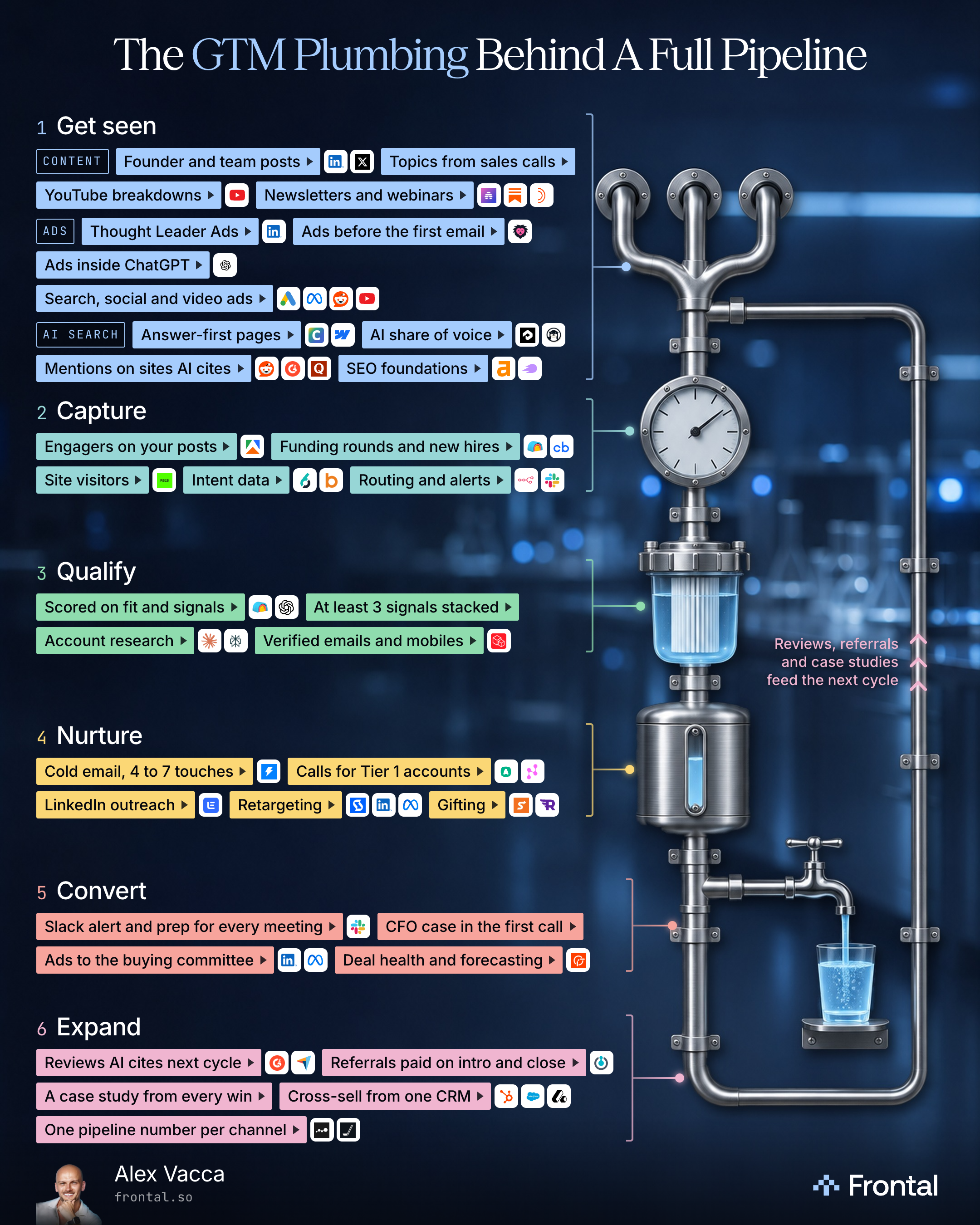
What does a B2B pipeline need besides cold email?
Every channel on the same accounts: get seen, capture, qualify, nurture, convert and expand, with the tools for each level.
Free guide
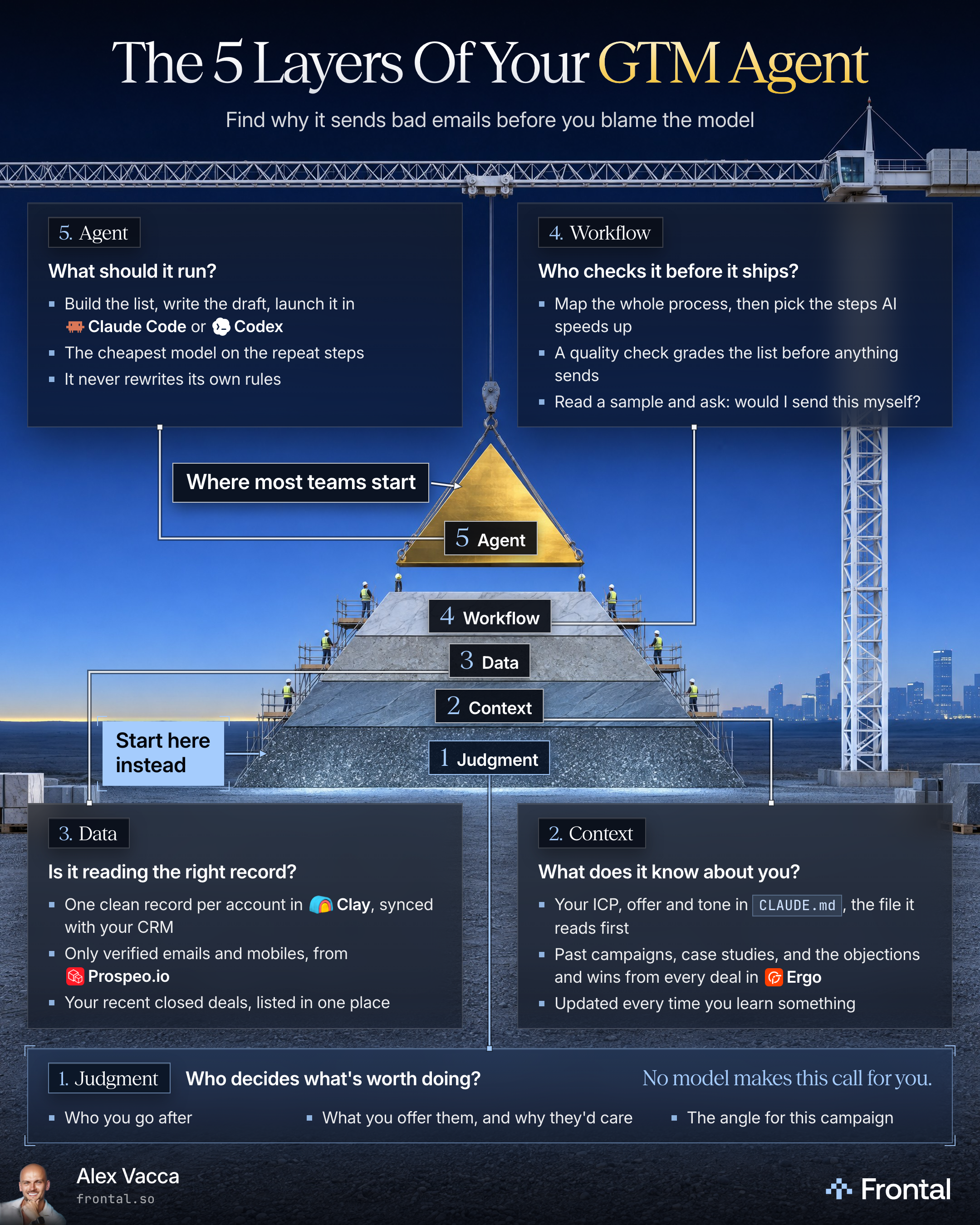
Why is nobody replying to my AI agent’s emails?
Look under the agent first: who decides, what it knows, the records it reads and who checks it. Build the agent last, on top.
Free guide
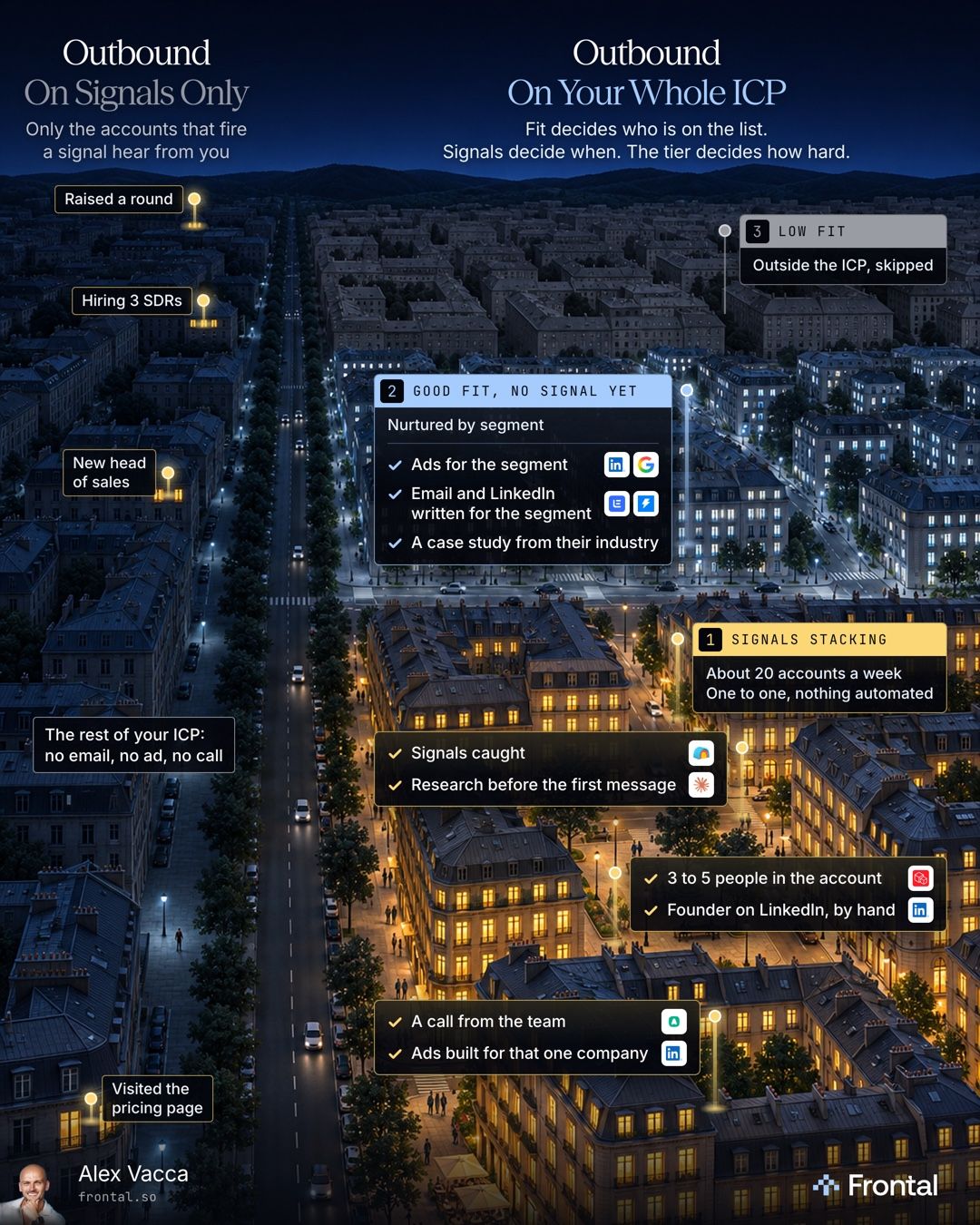
Should you run outbound on signals only, or on your whole ICP?
No. Keep your whole ICP on the list. Fit decides who is on it, signals decide when an account gets the one to one push, and the tier decides the effort.