Free guide
Why is nobody replying to my AI agent’s emails?
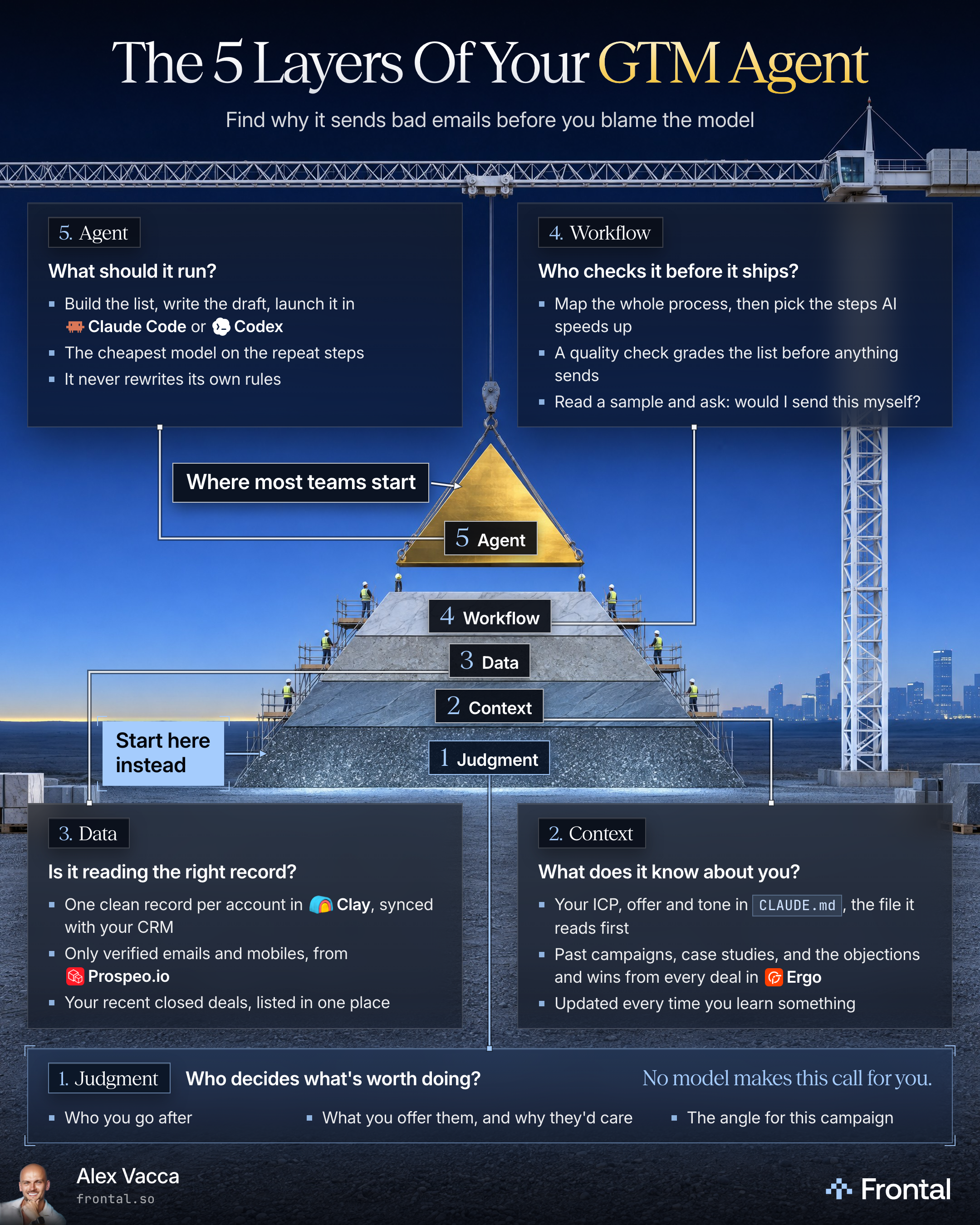
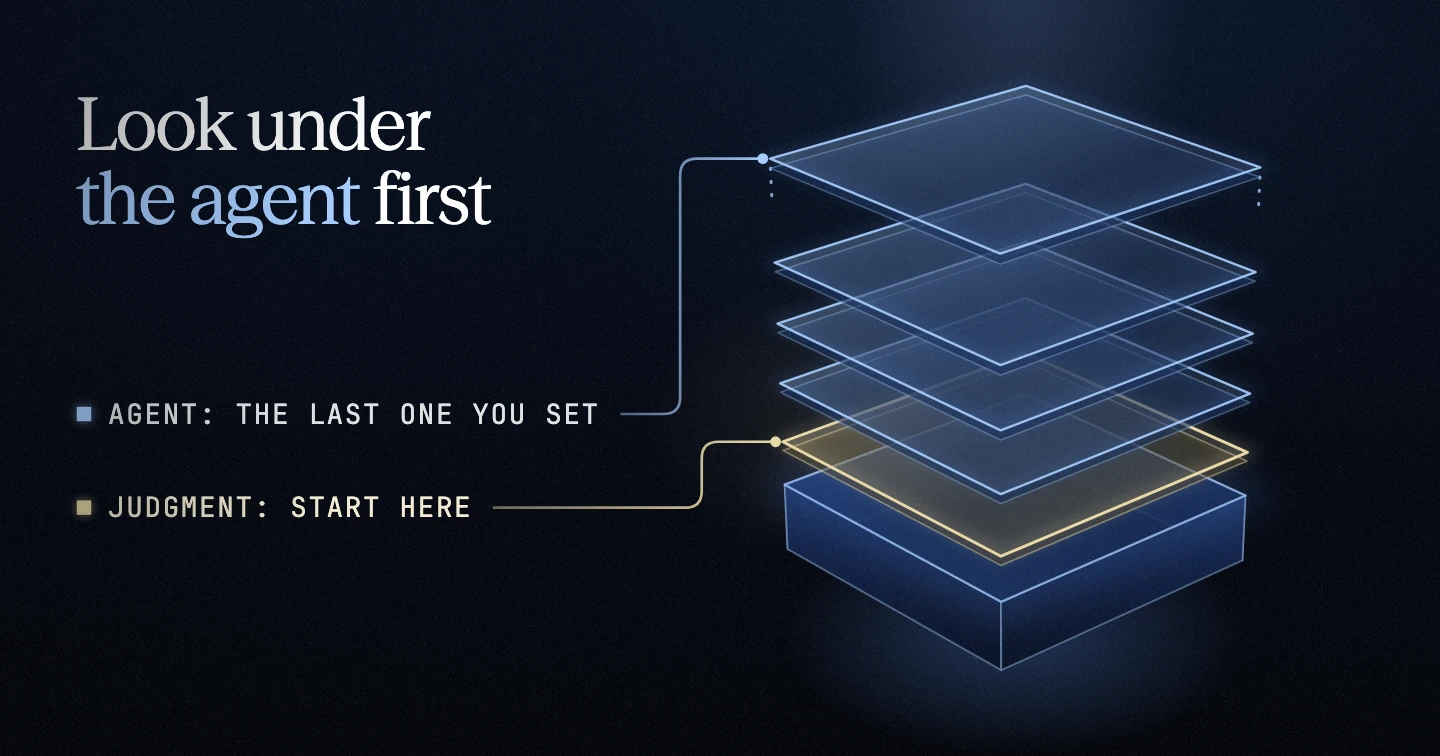
Look under the agent first: who decides, what it knows, the records it reads and who checks it. Build the agent last, on top.

Alex Vacca, Founder, Frontal
Published
What’s inside
- The prompt that drafts your ICP from your website and your closed deals, and the kickoff sheet a person decides on
- A CLAUDE.md template for your ICP, offer, angle and tone, and the prompt that turns a lesson into a proposed change
- The account record check that leaves one record per account and only verified emails
- The process map prompt, and the quality check that grades the list and the drafts before anything sends
- The Claude Code files that stop the agent’s edit tools changing its own rules and put the research on Haiku
When nobody replies to your agent’s emails, I’d check who it’s writing to before I’d touch the model. Cheaper and better agents don’t fix a bad list. They just let you reach the wrong people faster and more convincingly.
Frontal has worked with 310+ companies, and the first thing I ask a new client for is their last 40 or 50 closed-won deals, to find the 1 trait a company needs before it will ever buy. For a cash management software client, it was the number of legal entities. Companies with 1 entity never buy. Companies with 10 or more go to the top of the list. If you give the AI a vague definition, you’re going to spend a lot of time reviewing companies you didn’t want in the first place.
The templates below were written for this guide from rules I’ve published. They aren’t Frontal’s own files. Each one was run on a made-up company, and what it gave back was checked against its step. It can’t show how the people on your own list will reply. Fill the brackets with your own facts.
Step 1: Judgment
Input: Your website’s home, product and pricing pages, your last 40 or 50 closed-won deals and your lost deals, your deal notes, and what you can say about your product and price.
Action: Run the ICP draft prompt below, then take its kickoff sheet to the kickoff call. There the person who owns the campaign decides who you go after, what you offer and why they’d care, and the angle with its signal.
Output: An ICP marked DRAFT, with its must-have (or, with no trait every won deal shares, the closest one marked “not a must-have yet”), and a kickoff sheet with the three decisions, each with the draft’s suggestion, its evidence and a blank line the person signs on the call with their name and the date.
Caution: A must-have resting on fewer deals than the prompt asks for is a guess for the kickoff call, never a rule.
In your ICP matrix, add a column for any trait you suspect matters, like legal entities, ad spend or enrollment.
For the offer, give something useful and ask whether they want it: “Want me to send that over?” For the angle, a signal marks the right moment to reach out, and you keep the signal out of the email. Then we write the best email for 1 specific situation.
The ICP draft prompt
Here is the prompt that drafts your ICP and the kickoff sheet:
Keep reading, free
Pop your email in and we’ll send a 6-digit code. The rest of the guide opens right here.
More free guides
Free guide
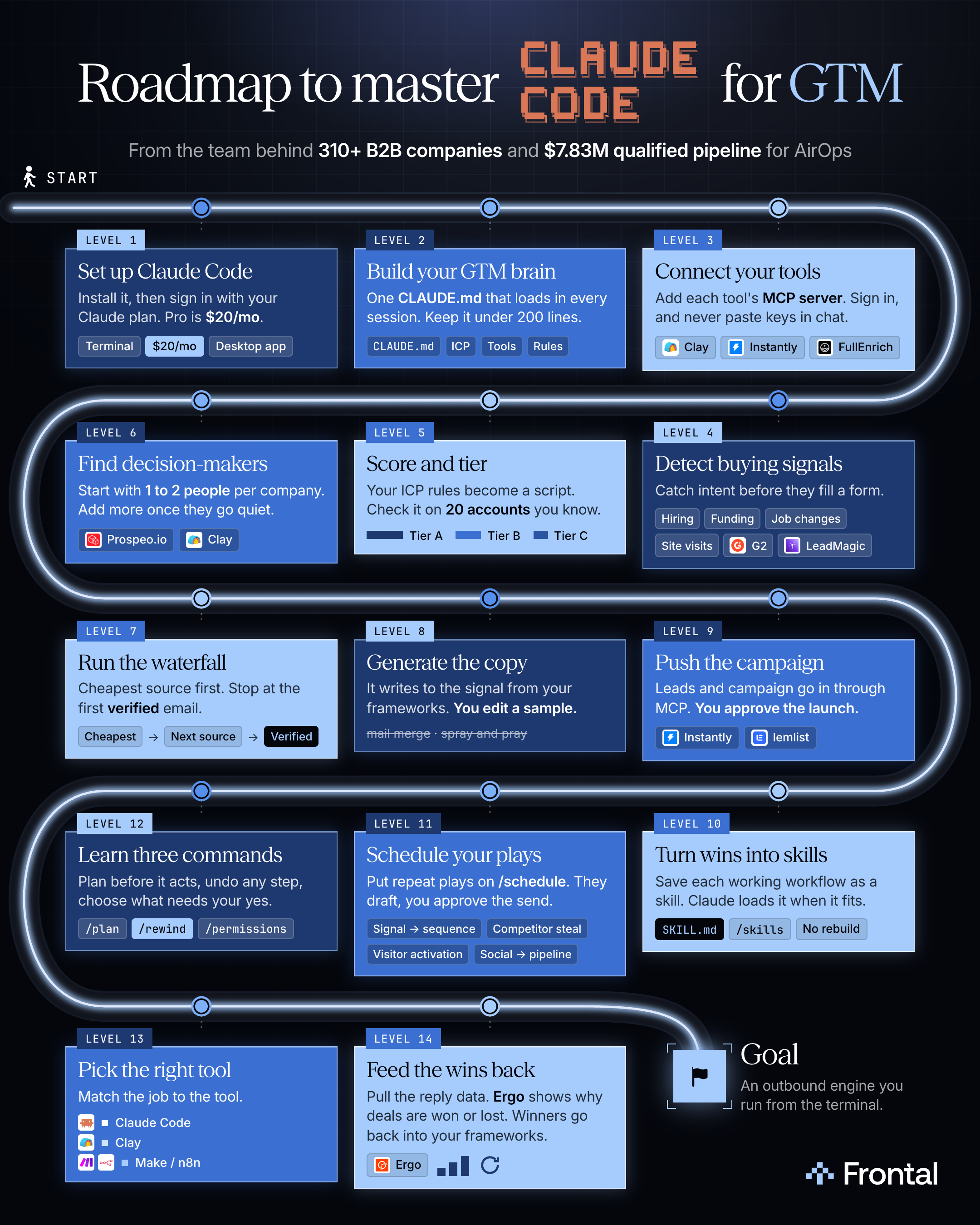
How do you run cold outbound from Claude Code, from signal to live campaign?
Install Claude Code, write one CLAUDE.md, connect each tool by MCP, and run signal to sent with two checks: you edit a sample and approve the launch.
Free guide
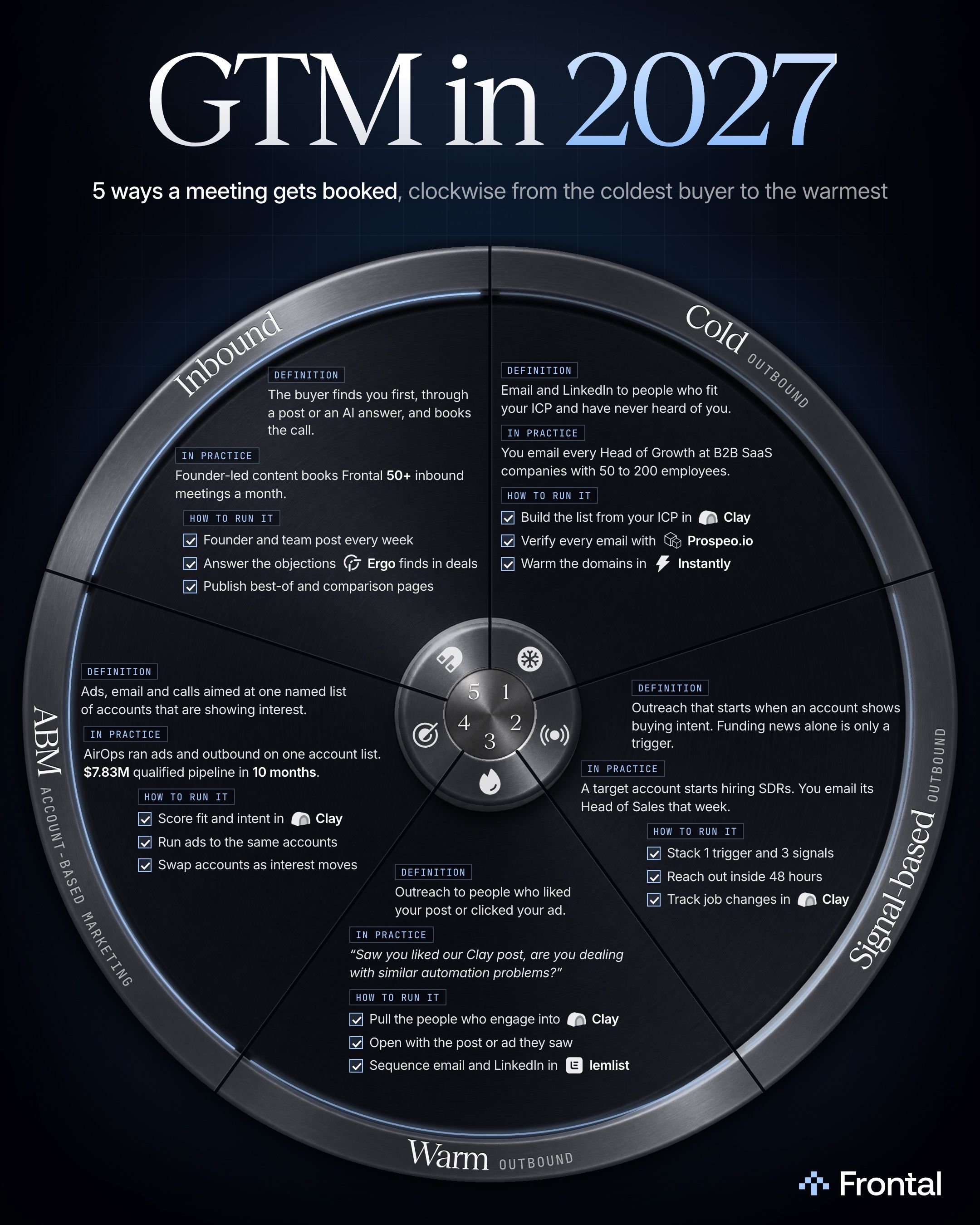
What are the 5 ways to book B2B meetings in 2027?
Cold, signal-based and warm outbound, ABM and inbound differ in what the buyer, or their company, has done before you write. I’d run all 5 on 1 account list.
Free guide
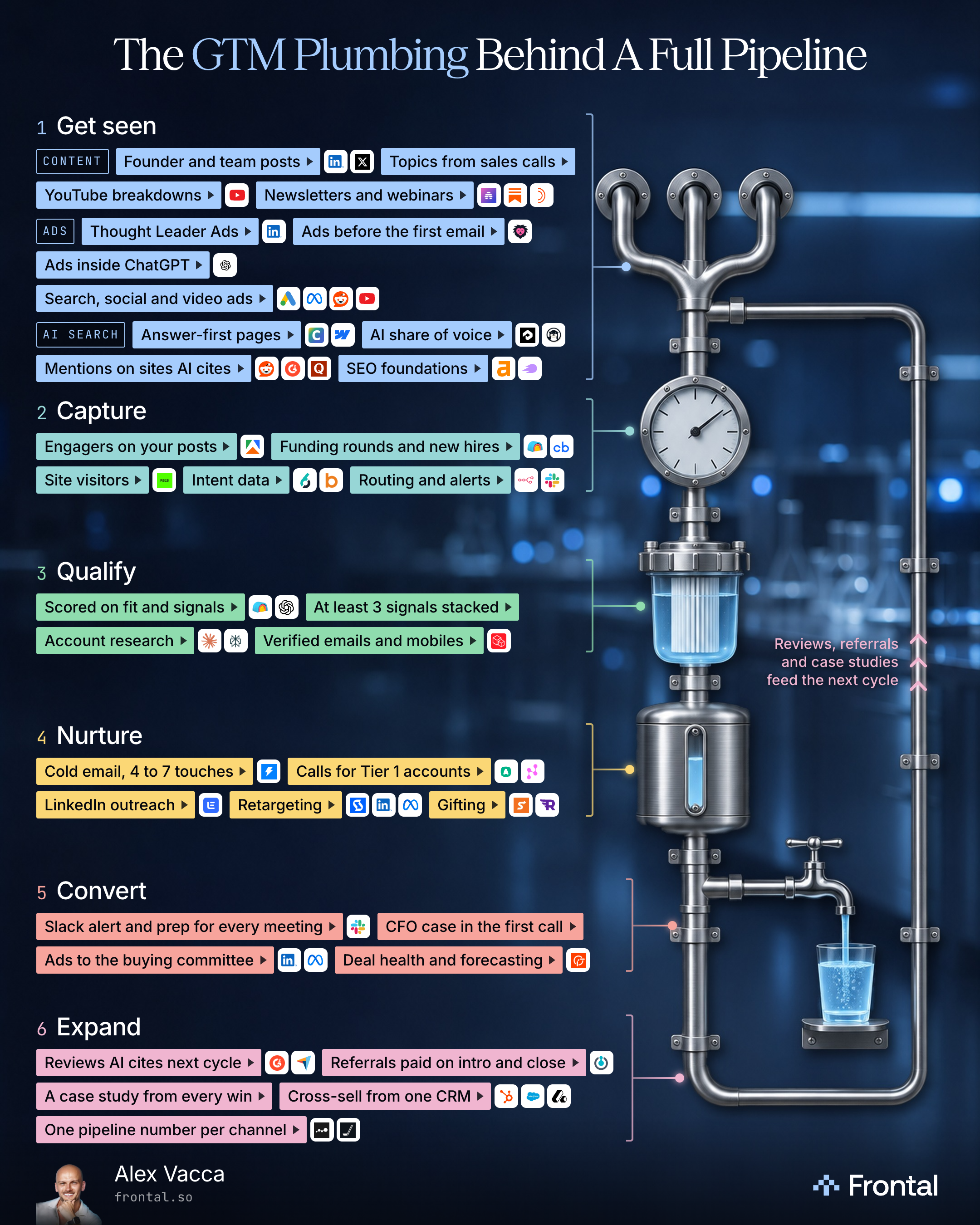
What does a B2B pipeline need besides cold email?
Every channel on the same accounts: get seen, capture, qualify, nurture, convert and expand, with the tools for each level.

Free guide
Should you run outbound on signals only, or on your whole ICP?
No. Keep your whole ICP on the list. Fit decides who is on it, signals decide when an account gets the one to one push, and the tier decides the effort.