Key Takeaways
- Frontal AI is the best fit for B2B SaaS teams that need a clean CRM to power outbound, ABM, and paid campaigns.
- Go Nimbly suits mid-market and enterprise companies whose data spans several systems or CRM instances.
- SyncMatters works best for teams that want to clean their records during a CRM migration.
- DataGroomr fits Salesforce teams with an in-house admin who can run deduplication and quality checks themselves.
- RevPartners is a good match for HubSpot companies that want data cleanup as part of an ongoing RevOps retainer.
Bad CRM data is one of the most common reasons B2B revenue teams start shopping for CRM data cleansing services. According to Validity’s 2025 survey, 76% of CRM users said less than half of their organization’s CRM data is accurate and complete.
Providers on this list take different routes, from cleaning data during a migration or giving your admin an in-house tool to run, to fixing the CRM and keeping it clean as your team grows.
This guide compares five of the best CRM data cleansing services for B2B SaaS in 2026, including their key services, pricing, where they shine, where they fall short, and who they’re best for.
How we built this list: We compared every provider on CRM fit, cleanup depth, change approval and protection, pricing transparency, and published client evidence. Frontal AI is included in this comparison and held to the same criteria as every other provider.
Top 5 CRM Data Cleansing Services for B2B SaaS (2026)
| Provider | Best For | Standout Strength | Starting Price |
|---|---|---|---|
| Frontal AI | CRM data cleanup tied to pipeline | Cleaned data feeds the outbound, ABM, and paid campaigns run from the same CRM | Custom quote |
| Go Nimbly | Cleansing across complex, multi-system revenue stacks | Parallel runs and rollback procedures that protect revenue during consolidations | Custom quote |
| SyncMatters | Cleaning up data during a CRM migration | Unlimited free sample migrations to test mapping before paying | Free under 100 records; paid migrations from $149 |
| DataGroomr | In-house Salesforce data quality with AI matching | Live Dedupe flags duplicates as new records arrive | $199/year |
| RevPartners | HubSpot cleanups backed by an ongoing RevOps team | Pods of strategists, analysts, and integration technologists | $9,850/month |
1. Frontal AI: Best for CRM Data Cleanup Tied to Pipeline
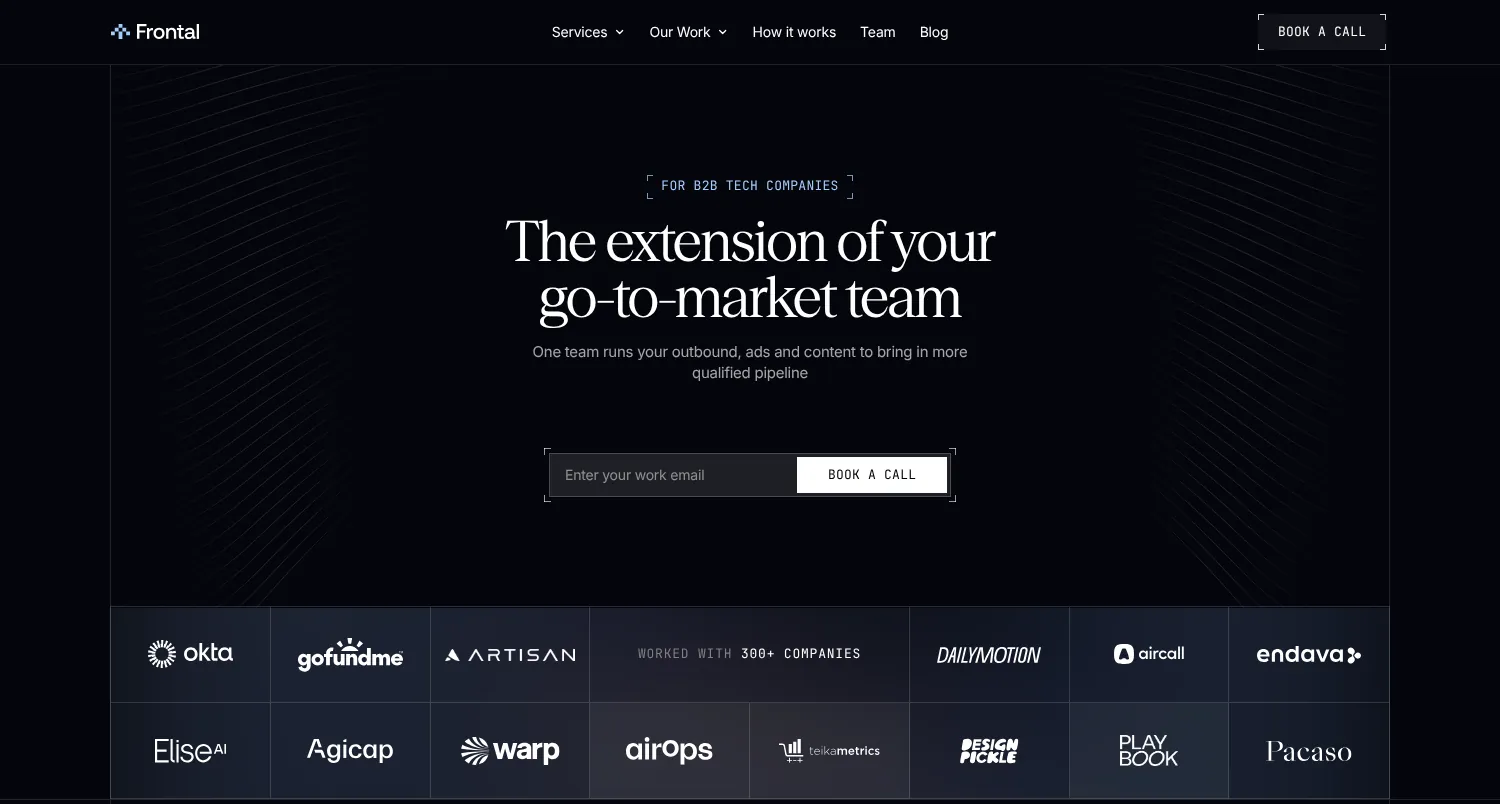
Frontal AI works with B2B tech companies past product-market fit that have an established sales team, operating inside your CRM and Slack as an extension of your go-to-market team. We own the execution of the plan we agree on across five services (GTM Services, Account-Based Marketing, Paid Media, Content Engineering, and RevOps). You can start with one and add more as the work grows.
CRM data cleansing is part of our RevOps service and can be a one-off project in the HubSpot or Salesforce you already run, or the first step in a longer engagement. We’re a HubSpot Solutions Partner, a Salesforce Partner, and one of six Clay Elite Studio Partners, and we’ve run go-to-market work for 300+ B2B companies.
Frontal AI Key Services
1. CRM Audit and Shared Definitions
Every cleanup starts with an audit of your CRM data, routing, and reports because duplicates and empty fields usually trace back to upstream issues. It might be a web form creating a new record on every submission, an integration writing its own version of each company, or reps logging deals however they see fit.
Sales and marketing then agree on the definitions the cleanup will follow, such as what counts as an account, what each deal stage means, and who owns which field. Settling this first means the reports you build afterward show both teams the same numbers.
If your CRM needs rebuilding from the ground up, our guide to CRM implementation services compares the main options.
2. Duplicate Cleanup and Field Hygiene
Here’s what the hands-on cleanup covers:
- Merging duplicate accounts and contacts, including a single company saved under its legal name, its brand name, and its web domain
- Standardizing values in fields like industry, country, company size, and job title so filters and lists pull the right records
- Linking subsidiaries to their parent company so account hierarchies hold together
- Flagging contacts who’ve left their company and records too thin to use
Our CRM hygiene play walks through the process in more detail.
3. Enrichment That Respects What Your Reps Entered
With duplicates merged, we use Clay to fill in missing company and contact details and write them back to your CRM. Enrichment only fills empty fields and never touches one a person owns, so a rep’s hand-corrected job title or phone number survives every update. We also agree on who can change what, test each change before it goes live, and keep a rollback ready in case something looks off.
If you’re comparing partners for this layer of the work, take a look at our list of the best Clay automation agencies.
4. Account Tiers, Signals, and Routing
A clean CRM is most useful when it tells your reps where to spend their time. We rank the accounts already in your CRM by fit, write each tier into the record, and add buying signals so reps can see when an account is worth reaching out to, without opening another tool.
We score and route new leads to the right salesperson with their history attached, and we automatically enrich new accounts and contacts, so the CRM stays clean after the cleanup ends. When you hire reps or add a tool, we set them up in the CRM without breaking what’s already running.
On the signal side, our breakdown of B2B intent data providers compares the main sources.
All four workstreams fall under RevOps and connect to the rest of our services. With the account data in shape, GTM Services can run outbound from it, and Account-Based Marketing can target the accounts your tiers flag as the best fit.
Frontal AI Pricing
Frontal AI doesn’t publish set pricing, since a cleanup can mean anything from merging duplicates in a single portal to rebuilding account hierarchies across a large Salesforce instance.
We include scope, milestones, and owners in a statement of work before anything starts, and engagements begin with a three-month term. Book a call to discuss your database size and what you’d like us to own.
Where Frontal AI Shines
- Senior operators from audit to upkeep: The operators who audit your CRM also clean it and set the rules that protect it afterward, so nothing gets lost between the diagnosis and the fix. We build it, run it, and keep improving it. If you want to take it in-house later, we can hand it over.
- Your ops team keeps its roadmap: We work alongside your RevOps team instead of around it. Everything stays inside your own HubSpot or Salesforce and comes documented, with training for the people who use it every day.
- Cleaner ad audiences when paid media is in scope: If Paid Media is part of the engagement, ad audiences come from the cleaned accounts in your CRM, so ad spend doesn’t go to duplicate records.
Where Frontal AI Falls Short
- Not built for per-record list scrubbing: If you just need a contact file verified or appended at the lowest possible cost per record, a data processing vendor will be cheaper. Our work also covers the CRM’s structure, rules, and workflows, which goes beyond what a one-time list scrub requires.
- Pre-PMF teams have a bigger question to answer first: A clean CRM organizes a working sales process. If you’re still testing who buys and why, the cleanup will tidy data for a sales process you haven’t proven yet.
Frontal AI Client Results
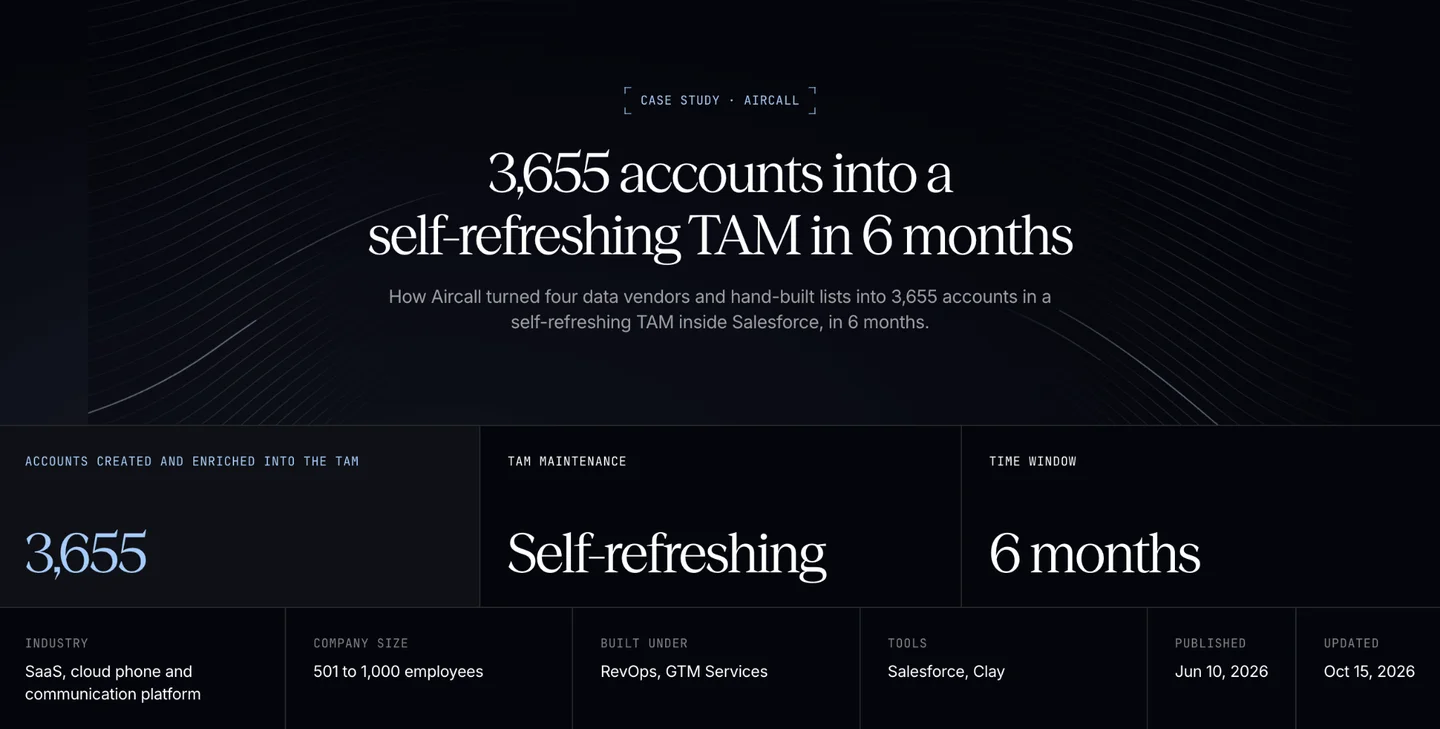
Aircall’s regional teams were each building target lists on their own, working from a Salesforce instance full of duplicate and incomplete records. Frontal AI agreed on a shared field dictionary with Aircall’s RevOps team, set up enrichment workflows, and controlled how records get updated in Salesforce. Over six months, the work created and enriched 3,655 accounts in one self-refreshing account database, and Aircall’s team was trained to run it themselves.
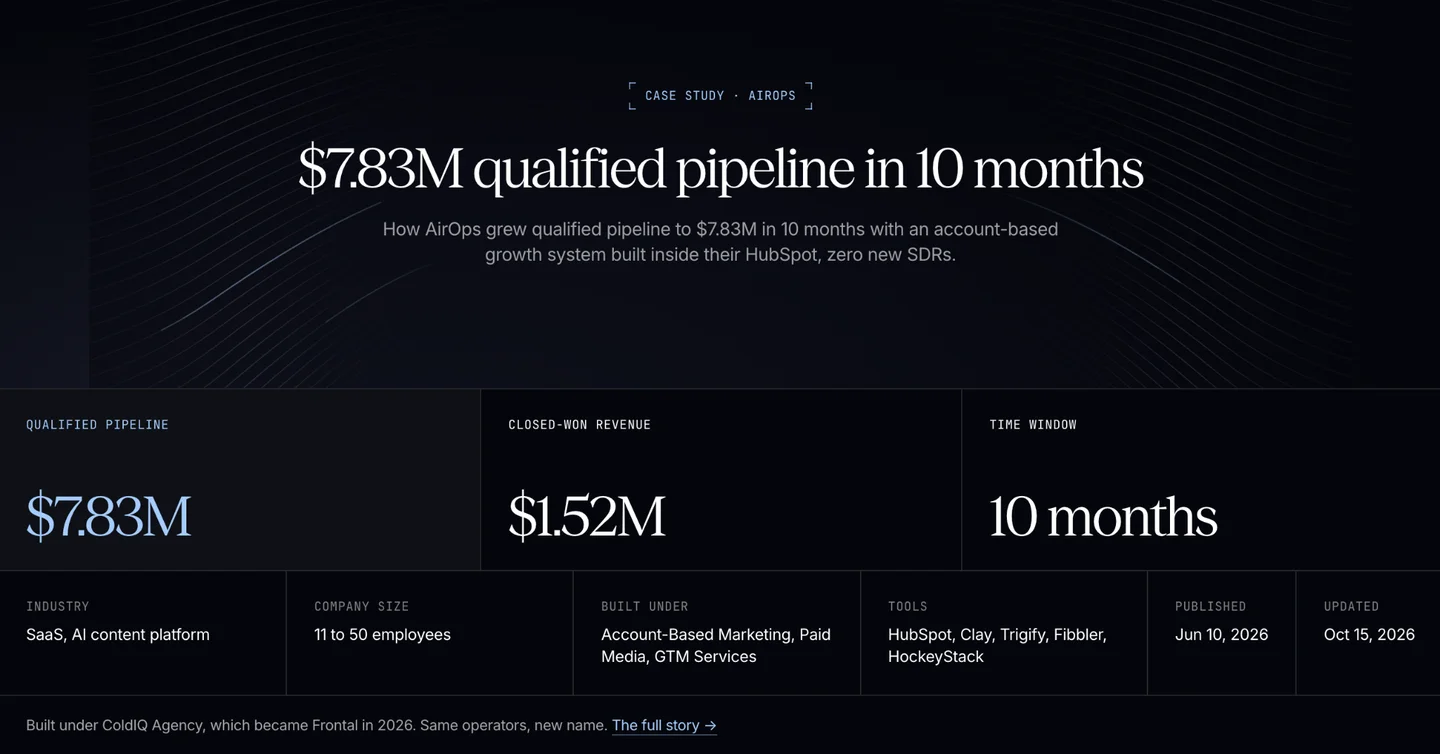
Frontal AI built the account-based system inside AirOps’ own HubSpot before running a combined-channel program on top of it, which generated $7.83 million in qualified pipeline and $1.52 million in closed-won revenue over 10 months.
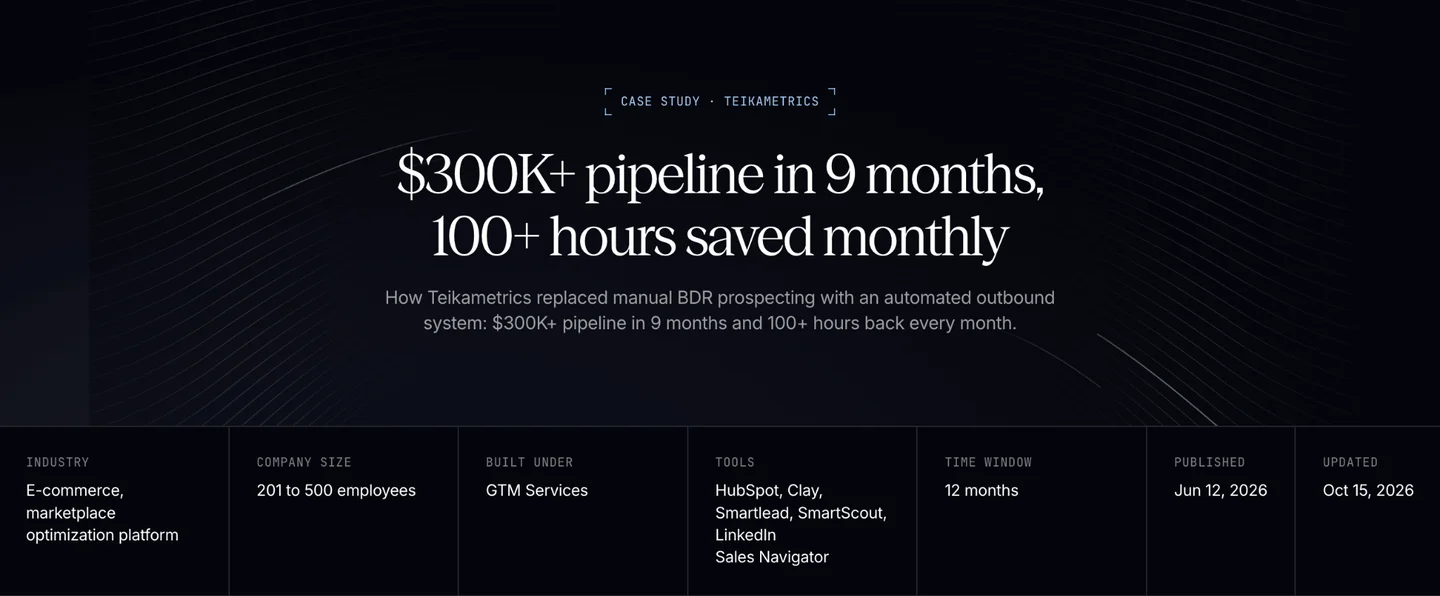
At Teikametrics, automating prospecting around the sales team produced more than $300,000 in pipeline over nine months and freed up over 100 hours of manual work each month.
Read more Frontal AI case studies →
Who Frontal AI Is Best For
- Revenue leaders whose reps don’t trust the CRM: Salespeople double-check every record, call contacts who moved on months ago, and keep their own spreadsheets on the side.
- Teams that cleaned up once and watched the data slip back: A past cleanup helped for a quarter, but new records kept coming in messy because nothing changed upstream.
- Companies pushing into new segments or regions: Before building target lists for a new market, you need account data clean enough to show who you already know there.
Want to know what your CRM data is costing your sales team? Book a call, and we’ll walk through where your records need work and what we’d fix first.
2. Go Nimbly: Best for Cleansing Data Across Complex, Multi-System Revenue Stacks
Go Nimbly is a RevOps consultancy with a bench of 100+ specialists, including architects, consultants, technical program managers, and strategic leaders. Its data quality work sits within a wider practice that also covers lead routing, CPQ, quote-to-cash, and product-led sales architecture.
Key Services
- CRM architecture review: A full assessment of your CRM configuration, data quality, and account structure, ending in a prioritized roadmap of what to simplify, fix, and rebuild.
- Clay-based hygiene and continuous enrichment: Clay workflows that deduplicate records, match leads to accounts, and fill missing fields in Salesforce or HubSpot, with waterfall enrichment across 75+ providers running in the background to keep records current.
- Data consolidation across CRM instances: Data model harmonization, automated reconciliation, and migration sequencing that merge several CRMs into one clean dataset while preserving historical records.
- Governance and quality rules: Identity resolution, conflict handling, and record ownership rules, backed by automated validation and quality scoring.
Pricing
Go Nimbly doesn’t publish pricing, so you’ll need to contact its team for a custom quote.
Where Go Nimbly Shines
- Safeguards for high-stakes consolidations: Parallel run periods, rollback procedures, and post-consolidation monitoring protect revenue while systems merge.
- Compliance designed in: GDPR- and CCPA-ready architecture, with retention policies, consent management, and audit trails, helps teams whose data must pass privacy or security reviews.
- Clear ownership after launch: On Clay builds, clients keep full ownership of their tables and workflows, with documentation, recorded walkthroughs, live enablement sessions, and a 30-day hypercare period.
Where Go Nimbly Falls Short
- More architecture than a contained cleanup needs: A team that only wants duplicates merged and fields standardized in a single HubSpot portal may be paying for more depth than the job requires.
- Paid media and content sit outside its scope: Go Nimbly’s published services cover systems, data, and workflows, including outbound automation, so ad campaigns and content programs would need a separate partner.
Who Go Nimbly Is Best For
- Mid-market and enterprise SaaS companies with large, multi-team revenue orgs: A strong fit when the cleanup has to be coordinated across several departments, systems, and stakeholders.
3. SyncMatters: Best for Cleaning Up Data During a CRM Migration
SyncMatters, formerly Trujay, is a CRM integration and migration company and an Elite HubSpot partner accredited in onboarding, integration, and data migration.
Key Services
- Duplicate matching before records land: When the destination CRM already holds data, matching logic based on criteria like company name or domain stops the migration from creating duplicates.
- Field and record filtering: Field usage percentages and layout visibility show which fields to keep, while per-object filters include or exclude records before the move.
- Value standardization through mapping: Picklist mapping and text-to-picklist conversion turn inconsistent free-text entries into standardized dropdown options in the target CRM.
- HubSpot portal consolidation: Merge data and assets from several HubSpot portals into one, a common need after an acquisition or merger.
Pricing
| Plan | Pricing |
|---|---|
| Self-serve migration | Free to $3,499, based on record count (up to 2M records) |
| Guided Migration (add-on) | $875 |
| Custom Migration or 2M+ records | Contact sales |
| Custom integrations | $300 to $700/month, or $3,300 to $7,700/year |
Where SyncMatters Shines
- Test runs before you pay: Unlimited free sample migrations move about 10% of your records, so you can check mapping and filter settings as many times as needed before committing to the full run.
- Data stays aligned after the move: Custom integrations sync your CRM with ERP, finance, and other business systems, with ongoing monitoring and post-launch error resolution so records don’t drift apart again.
- Security credentials for cautious buyers: SyncMatters is ISO 27001 certified and GDPR-compliant, which helps when IT or legal must approve a vendor handling customer data.
Where SyncMatters Falls Short
- Cleanup tooling lives inside migrations: Outside a move, the closest option is the on-demand HubSpot admin service, which covers general HubSpot tasks rather than a dedicated cleansing program.
- Enrichment isn’t part of the offer: SyncMatters’ published services don’t include filling in missing company or contact data, so gaps in the source data carry over unless you enrich them separately.
Who SyncMatters Is Best For
- Teams planning a CRM switch who want to clean as they move: A practical fit when it makes more sense to fix the data once during the migration than to carry the mess over and clean it afterward.
4. DataGroomr: Best for In-House Salesforce Data Quality With AI Matching
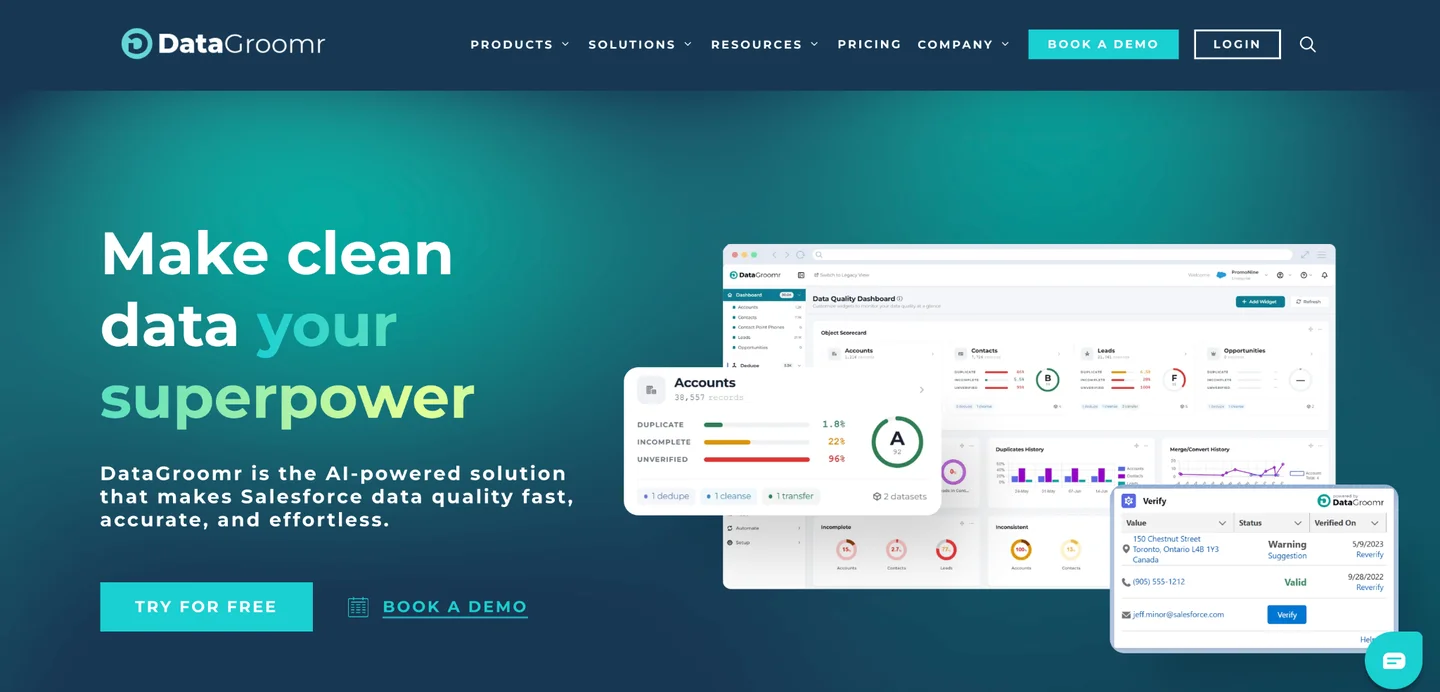
DataGroomr is a Salesforce data quality platform built around AI matching, so teams can start deduplicating without first writing matching rules. Everything runs from one platform, with a standalone Verify app for contact verification and an AI agent that configures rules and investigates issues through natural-language conversation. The platform is SOC 2 Type II certified and GDPR- and CCPA-compliant.
Key Services
- Deduplication and merging: Side-by-side duplicate review, lead conversion to contacts and accounts, and a drag-and-drop editor for setting master-record and field-value rules before mass merges.
- Cleansing and standardization: Prebuilt or custom transformation rules that fix formatting across names, phone numbers, and addresses, plus bulk removal of outdated or junk records.
- Contact verification: Email, phone, mailing address, and website URL checks, run in bulk or at the point of entry, with results synced back to Salesforce.
- Enrichment orchestration: Enrichment from GenAI and providers like Apollo, ZoomInfo, and Dun & Bradstreet, built with natural-language queries and deduplicated before records are updated.
Pricing
DataGroomr prices its annual plans by the number of records and users, with a calculator on its pricing page.
| Plan | Pricing |
|---|---|
| Micro (under 10,000 records) | $199/year |
| Standard (100K records, 1 user) | $1,995/year |
| Professional (200K records, 2 users) | $3,995/year |
| Enterprise (300K records, 3 users) | $7,995/year |
| Verify app | 100 free credits/month; credit packs from $80 for 10,000 credits |
Where DataGroomr Shines
- Duplicates stopped at the door: Live Dedupe checks every new or updated record, and CSV imports screen incoming rows so they update existing records instead of creating new ones.
- Built for org consolidation: Cross-org deduplication and bulk merges that avoid Salesforce governor limits suit post-merger cleanups, with undo and restore on the Enterprise plan if a merge goes wrong.
- Continuous quality scoring: Field-level scores for completeness, accuracy, consistency, and timeliness feed dashboards, so teams can track data health continuously instead of in quarterly audits.
Where DataGroomr Falls Short
- Salesforce only: Teams running HubSpot or another CRM will need a different provider.
- Software your team has to run: DataGroomr’s current lineup includes the platform and the Verify app, with no done-for-you service, so someone in-house must set it up, review it, and act on what it finds.
Who DataGroomr Is Best For
- Salesforce-centric teams with an admin or ops lead who owns data quality: A good match when the CRM will stay on Salesforce for the long term.
5. RevPartners: Best for HubSpot Cleanups Backed by an Ongoing RevOps Team
RevPartners is an Elite HubSpot Solutions Partner and RevOps firm with 700+ HubSpot certifications and 1,000+ CRM and RevOps deployments. It runs its data work through HubSpot’s Data Hub, which it configures alongside the integrations and data quality rules the CRM depends on.
Key Services
- Portal audit and backlog cleanup: An audit of duplicates, unused properties, broken workflows, and integration gaps, followed by fixes in priority order.
- Data model and governance: Objects, properties, and associations designed around how the business runs, backed by naming conventions, permissions, and Data Hub’s duplicate and formatting rules so new mess gets caught as it comes in.
- Cleanup during HubSpot migrations: Field mapping and test migrations with triple QA checks before cutover, so only the data worth keeping makes it into the new portal.
- Scheduled enrichment with Clay: Company and contact records refreshed on a recurring schedule, with the results governed inside HubSpot.
Pricing
| Plan | Pricing |
|---|---|
| RevOps as a Service | $9,850 to $27,000/month, 6-month initial term |
| RevOps onboarding | $5,000 one-time |
| Allbound Foundations (includes data architecture and governance) | $25,000 fixed scope |
| GTM Engineering as a Service (includes CRM data enrichment) | From $12,900/month |
| Migration and integration projects | Custom quote |
Where RevPartners Shines
- A full pod instead of a single consultant: Each client gets RevOps strategists, data analysts, and integration and migration technologists, so a cleanup can draw on analysis and technical work at the same time.
- Cleanup that prepares HubSpot for AI: Before deploying HubSpot’s AI agents, RevPartners rebuilds deal stages, lead status, lifecycle stages, and source tracking, so the cleaned data is ready for agents added later in the partnership.
- Audited security: RevPartners is AICPA SOC 1 and SOC 2 certified, which helps when HubSpot data must pass a vendor security review.
Where RevPartners Falls Short
- Built around HubSpot: RevPartners can migrate data out of Salesforce and other CRMs, but teams planning to stay on Salesforce will need a different partner.
- Cleanup comes with a bigger commitment: Most Data Hub work is sold as part of an ongoing partnership with a multi-month minimum, so a team that wants only a one-off cleanup may pay for more continuity than it needs.
Who RevPartners Is Best For
- HubSpot companies that would rather rent a RevOps department than hire one: A good fit when data quality is one of several jobs the team needs covered every week.
How to Choose a CRM Data Cleansing Service
Here’s how to pick a provider whose cleanup still holds up a quarter later.
1. Decide Whether You Need a One-Time Cleanup or Ongoing Hygiene
A cleanup fixes today’s records, but the forms, imports, and integrations that created the mess keep running after it ends. Contact data also goes stale as people change jobs.
A defined project is usually enough when:
- The mess traces back to a single event, such as an acquisition or a stretch of years without anyone owning the CRM
- Someone on your team will own the rules once the backlog is cleared
Ongoing help makes more sense when new records arrive faster than anyone can check them, or when nobody in-house has time to maintain the CRM. Our roundup of the best RevOps agencies compares partners built for that longer-term work.
2. Match the Provider to Your CRM and Where Your Data Is Headed
What you need from a provider depends on what’s happening to your CRM:
- Staying on your current CRM: Look for deep, documented experience in that platform, since HubSpot and Salesforce handle merges, associations, and duplicate rules differently.
- Switching CRMs: Ask for field mapping and a test run on a sample of your data before the full move.
- Merging CRMs after an acquisition: Make sure the provider can match and reconcile records across instances, since the same customer often exists in both systems under different names.
- Feeding outbound, ABM, or paid campaigns: Choose a provider that understands how those channels use account data, so the cleanup prioritizes the fields your targeting depends on.
Frontal AI is built for that last case. If the bigger question is how your CRM should support the go-to-market plan as a whole, our guide to the best GTM consulting services covers partners who start there.
3. Ask Who Approves Changes and How Records Are Protected
A bad merge rule can wipe out notes, owners, and activity history across thousands of records, and some merges are hard to reverse. Before signing, put these questions to every provider on your shortlist:
- Who agrees on the merge rules, and does anyone on your side sign off before records are combined?
- Are changes tested on a sample of your data before they run on the full CRM?
- What’s the rollback plan if a merge or update goes wrong?
- Can enrichment ever overwrite data your team entered by hand?
Our comparison of lead enrichment services goes deeper into how providers handle the data they bring in.
At Frontal AI, we aim to answer each of these questions before touching a record.
How Much Do CRM Data Cleansing Services Cost in 2026?
Pricing ranges from per-record migration fees to monthly retainers.
| Provider | Pricing (as of November 2026) |
|---|---|
| Frontal AI | Custom quote |
| Go Nimbly | Custom quote |
| SyncMatters | Migrations from free to $3,499, based on record count; integrations from $300 to $700/month |
| DataGroomr | From $199/year for under 10,000 records; $1,995 to $7,995/year for Standard through Enterprise |
| RevPartners | RevOps as a Service from $9,850 to $27,000/month; GTM Engineering as a Service from $12,900/month |
When comparing quotes, check how many records each price covers and whether enrichment fees are billed separately.
So, Which CRM Data Cleansing Service Is Right for You?
Most providers can clear a CRM backlog, so the better question is what the cleaned data needs to support once the project ends.
Frontal AI cleans your HubSpot or Salesforce, puts rules in place to keep it clean, and connects the data to the outbound, ABM, and paid campaigns that depend on it. Book a call, and we’ll review your CRM with you and outline what a cleanup would cover.
FAQs
1. What is CRM data cleansing?
CRM data cleansing is the process of finding and fixing duplicate, outdated, incomplete, or inconsistent records so your CRM reflects accurate customer and account information.
2. How often should you clean your CRM data?
Clean the full CRM once to clear the backlog, then run checks on a schedule that matches how quickly new records come into your CRM.
3. Is data cleansing the same as data enrichment?
No. Cleansing fixes records already in your CRM, while enrichment adds missing details from outside sources. Cleansing should come first, so enrichment doesn’t fill duplicate records.
4. Can HubSpot or Salesforce clean data on their own?
Partly. Both have built-in duplicate tools, but Salesforce merges only three records at a time, and neither platform decides what counts as a duplicate for your business.
5. Does CRM data cleansing mean deleting records?
Not usually. Most cleanups merge duplicates and update fields while keeping each record’s history, and deletion is limited to test entries and records with no usable data.