Play 13Inbound
PLG-to-Sales
PLG-to-Sales is a nine-step inbound play for your CRM and email, from “Map the data model” to “Enable outreach from the workspace”. It uses HubSpot, Apollo, Slack and Chili Piper.

Kenny Damian, Co-founder & Head of GTM
- Motion
- Inbound
- Channel
- CRM, Email
- Steps
- 9
- Tools
- 4
The workflow
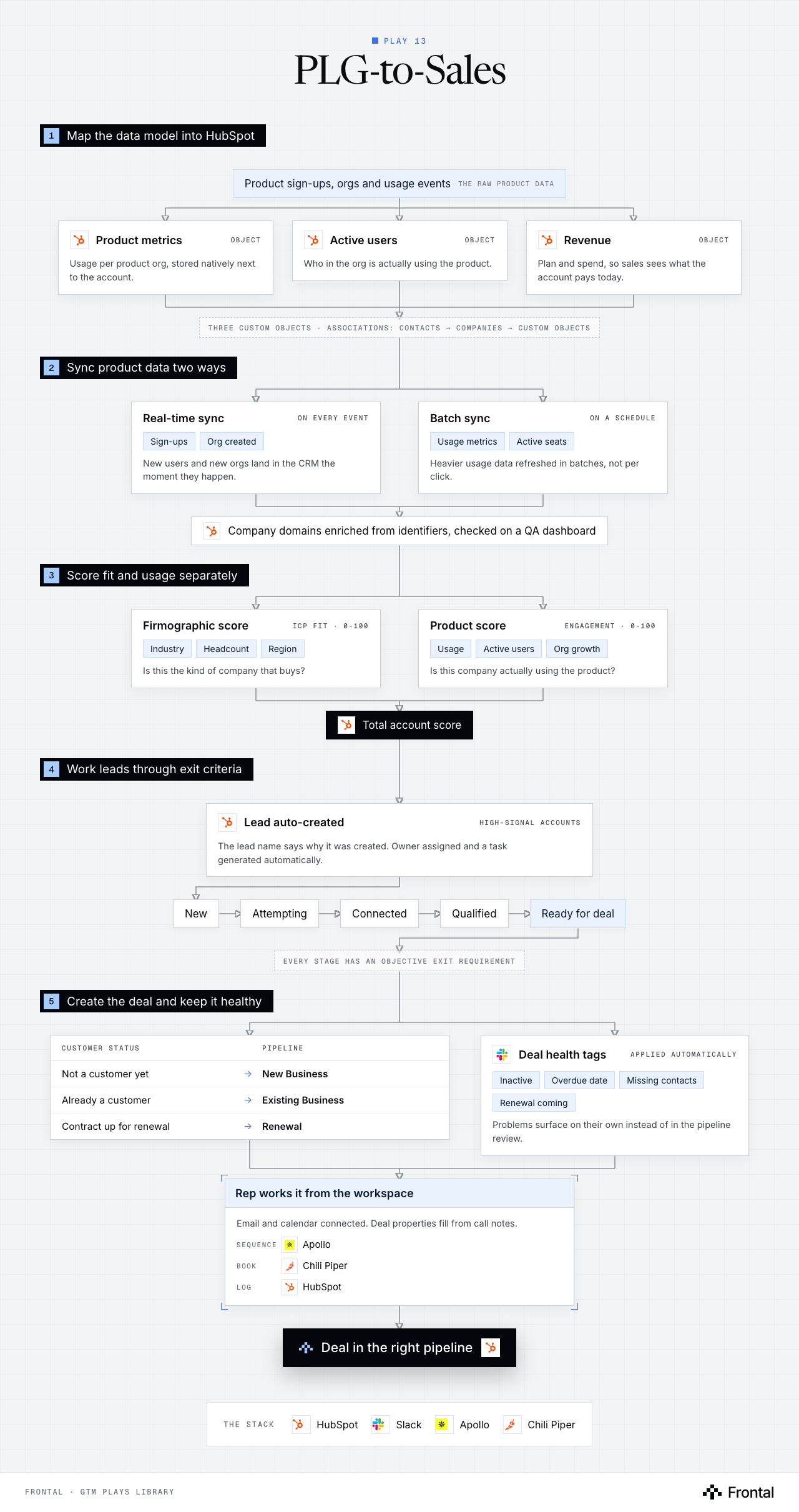
The diagram as text
1Map the data model into HubSpot
- Product sign-ups, orgs and usage events: The raw product data.
- Product metrics (object): Usage per product org, stored natively next to the account. Tool: HubSpot.
- Active users (object): Who in the org is actually using the product. Tool: HubSpot.
- Revenue (object): Plan and spend, so sales sees what the account pays today. Tool: HubSpot.
- Three custom objects · associations: contacts → companies → custom objects
2Sync product data two ways
- Real-time sync (on every event): Sign-ups and Org created. New users and new orgs land in the CRM the moment they happen.
- Batch sync (on a schedule): Usage metrics and Active seats. Heavier usage data refreshed in batches, not per click.
- Company domains enriched from identifiers, checked on a QA dashboard. Tool: HubSpot.
3Score fit and usage separately
- Firmographic score (ICP fit · 0 to 100): Industry, Headcount and Region. Is this the kind of company that buys?
- Product score (engagement · 0 to 100): Usage, Active users and Org growth. Is this company actually using the product?
- Total account score. Tool: HubSpot.
4Work leads through exit criteria
- Lead auto-created (high-signal accounts): The lead name says why it was created. Owner assigned and a task generated automatically. Tool: HubSpot.
- New
- Attempting
- Connected
- Qualified
- Ready for deal
- Every stage has an objective exit requirement
5Create the deal and keep it healthy
- Customer status → Pipeline
- Not a customer yet → New Business
- Already a customer → Existing Business
- Contract up for renewal → Renewal
- Deal health tags (applied automatically): Inactive, Overdue date, Missing contacts and Renewal coming. Problems surface on their own instead of in the pipeline review. Tool: Slack.
- Rep works it from the workspace: Email and calendar connected. Deal properties fill from call notes. Sequence: Apollo. Book: Chili Piper. Log: HubSpot.
- Outcome: Deal in the right pipeline. Tool: HubSpot.
- Customer status → Pipeline
The stack: HubSpot, Slack, Apollo, Chili Piper.
The play in nine steps
Step 1: Map the data model
Define entities (Users/Contacts, Companies/Accounts, Product Orgs, Onboarding Journeys, Product Metrics, Revenue) and their associations before building in HubSpot. Verify data points exist and determine which fields to sync.
Step 2: Build custom objects
Create HubSpot custom objects for Product Metrics, Active Users, and Revenue. Set up associations in HubSpot: Contacts → Companies → Custom Objects to store product-specific data natively in the CRM.
Step 3: Sync product and sign-up data
Implement real-time syncing for sign-ups and organization creation, plus batch syncing for usage metrics. Enrich company domains from identifiers and build a QA dashboard for data accuracy monitoring.
Step 4: Build a dual scoring model
Establish Firmographic Scores (ICP Fit) and Product Object Scores (Engagement/Usage) ranging from 0 to 100, rolling into a combined Total Account Score.
Step 5: Configure the lead pipeline
Auto-create leads from high-signal accounts with clear naming conventions that include creation rationale. Auto-assign leads to owners and generate tasks automatically.
Step 6: Define stage exit criteria
Establish objective progression rules: New → Attempting to Contact → Connected → Qualified → Ready for Deal, each with specific exit requirements.
Step 7: Automate deal creation across 3 pipelines
Route deals to New Business, Existing Business, or Renewal pipelines automatically based on customer status.
Step 8: Surface deal health automatically
Apply automatic health tags for inactivity, overdue dates, missing contacts, and upcoming renewals to improve visibility and consistency.
Step 9: Enable outreach from the workspace
Connect email and calendar for reps; execute sequences, auto-populate deal properties from call notes, and log all activities to prospect records.
Tools used
The four tools this play names. Each links to the other plays that use it.
Related plays
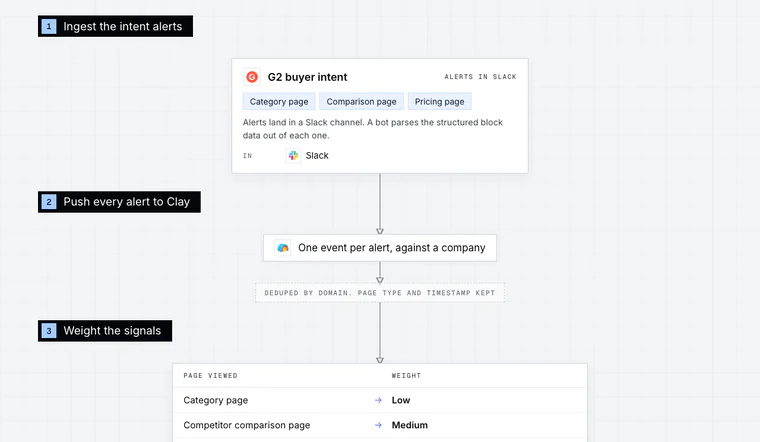
Review-Site Intent Scoring
6 steps · Email, Call, CRM
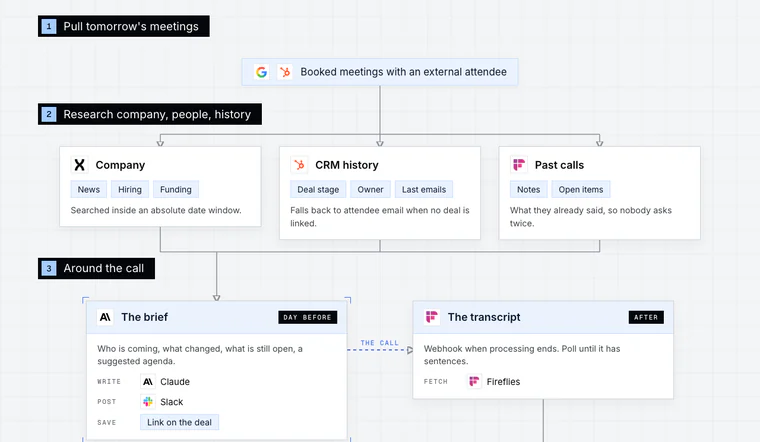
Meeting Prep and Follow-Up
6 steps · Call, CRM, Email
- +1 more
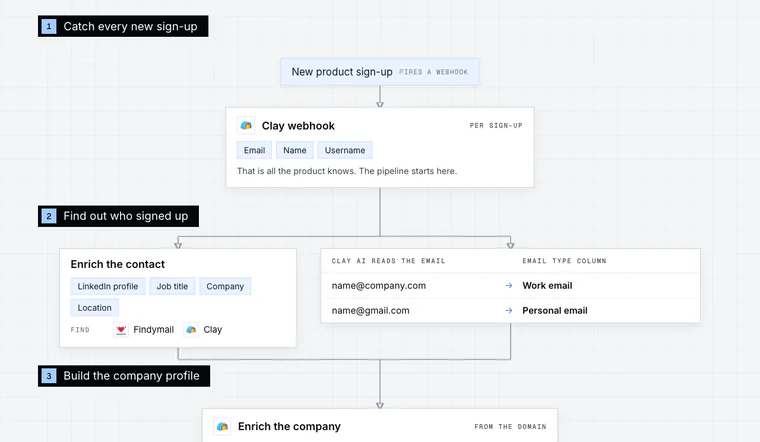
Product Sign-Up Outreach
7 steps · Email, LinkedIn

Have us run this play
Tell us what you're trying to hit this quarter, and we'll suggest where to start.